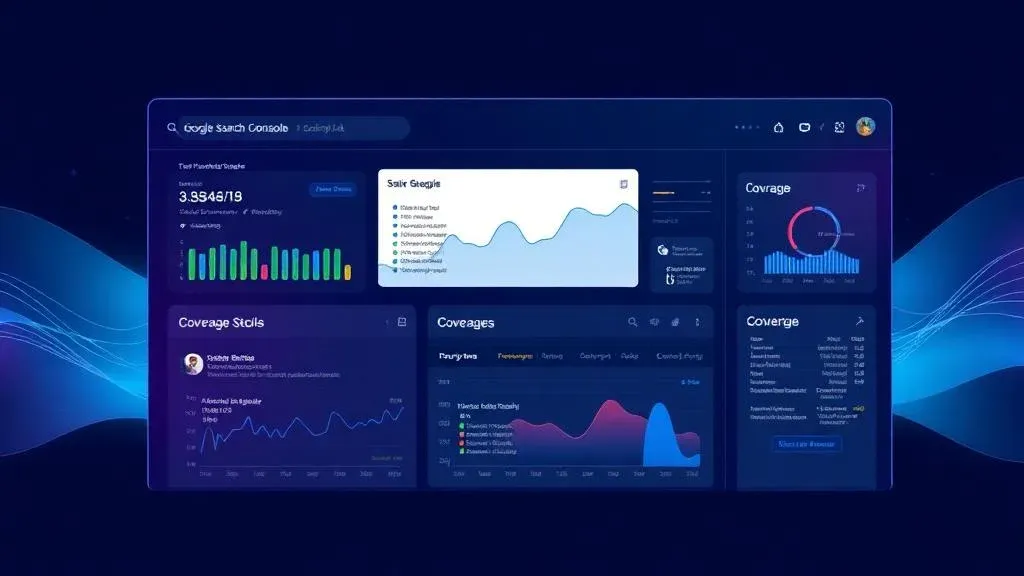
Google Search Console for Vibe Coding Projects: Setup, Debugging & Indexing

TL;DR: „SPAs often aren't indexed because Google sees empty HTML pages. Search Console shows you exactly where the problem is – and with the right stack (SSG + Sitemap + robots.txt) you can fix it."
— Till FreitagWhy Search Console Is Your Most Important SEO Tool
You built an app with Lovable, deployed it to Vercel – and wait for organic traffic. Two weeks later: zero impressions. No clicks. No indexed pages.
Google Search Console (GSC) is the only tool that shows you what Google actually sees. Not what you see in the browser. Not what Lighthouse says. What Googlebot actually crawls and indexes.
For vibe coding projects, this is especially critical because SPAs and Googlebot have a complicated relationship.
Setup in 10 Minutes
1. Create a Property
- Open search.google.com/search-console
- Click Add Property
- Choose URL Prefix and enter your domain:
https://your-app.vercel.app
Tip: If you have a custom domain, use the Domain variant with DNS verification. This captures all subdomains and protocols.
2. Verification
Easiest for Vercel projects:
Option A: HTML Tag (recommended)
- Copy the meta tag from Google
- Add it to your
index.htmlin the<head>:
<meta name="google-site-verification" content="your-verification-code" />Option B: DNS Record
- Add a TXT record at your DNS provider
- Wait 5-10 minutes for propagation
3. Submit Sitemap
Create a sitemap.xml and submit it in GSC:
<?xml version="1.0" encoding="UTF-8"?>
<urlset xmlns="http://www.sitemaps.org/schemas/sitemap/0.9">
  <url>
    <loc>https://your-app.vercel.app/</loc>
    <lastmod>2026-04-14</lastmod>
    <priority>1.0</priority>
  </url>
  <url>
    <loc>https://your-app.vercel.app/blog</loc>
    <lastmod>2026-04-14</lastmod>
    <priority>0.8</priority>
  </url>
</urlset>
For vibe coding projects: Generate the sitemap automatically from your routes. In our stack, this happens during the Playwright SSG build.
The 5 Most Common Problems with Vibe Coding Apps
1. "Crawled – currently not indexed"
The most common problem. Google found the page but decided not to index it.
Cause in SPAs: Google renders the page with JavaScript but gets only minimal content or sees duplicate content (because every route serves the same index.html).
Solution: Pre-rendering with Playwright SSG. Every URL gets unique, pre-rendered HTML.
2. "Discovered – currently not indexed"
Google knows the URL (e.g., from the sitemap) but hasn't crawled it yet.
Cause: Low crawl budget. New domains get less crawl capacity.
Solution:
- Submit and keep sitemap up to date
- Strengthen internal linking
- Use URL inspection and manually request indexing
3. "Page with redirect"
Cause on Vercel: Trailing slash redirects. Vercel redirects /blog/ to /blog (or vice versa).
Solution: Set trailing slash behavior in vercel.json:
{
  "trailingSlash": false
}
And use consistent URLs without trailing slashes in the sitemap.
4. "Soft 404"
Google detects that the page returns status 200 but is essentially empty.
Cause in SPAs: The app serves the same empty shell for non-existent routes. No 404 status, no relevant content.
Solution:
- Implement a 404 page in the app
- Configure pre-rendering so non-existent routes return a real 404 status
5. No Rich Snippets Despite Schema Markup
Cause: JSON-LD is injected client-side and isn't present in the pre-rendered HTML.
Solution: Ensure schema markup is included in the pre-rendering step.
URL Inspection: Your Debugging Tool
URL Inspection in GSC is the most powerful feature for SPA debugging:
Run a Live Test
- Enter the URL you want to check
- Click Test Live URL
- Check the rendered screenshot – does Google see your content?
- Check the HTML source – are meta tags and content present?
What to Look For
- Page Resources: Are all JS/CSS files loaded? Blocked rendering?
- Rendered HTML: Is content present or just
<div id="root"></div>? - Screenshot: Does the page look as expected or is it empty/broken?
- Canonical URL: Does it match the expected URL?
Reading the Performance Report
Understanding Metrics
- Impressions: How often your page appeared in search results
- Clicks: How often users clicked your result
- CTR: Click-through rate (clicks / impressions)
- Position: Average ranking position
Using Filters
Especially useful for vibe coding projects:
- Page filter: Which pages perform? Which don't?
- Query filter: Which search terms are you ranking for?
- Country filter: Where are your users from?
- Device filter: Mobile vs. desktop performance
Typical Patterns for New Vibe Coding Projects
Week 1-2: No data. Google crawls and indexes. Week 3-4: First impressions for brand keywords. Month 2-3: Long-tail keywords start ranking. Month 4-6: With the right content strategy, significant growth.
Core Web Vitals in Search Console
Since 2021, Core Web Vitals are a ranking factor. GSC shows you:
- LCP (Largest Contentful Paint): Load time of the largest visible element
- INP (Interaction to Next Paint): Response time to user interaction
- CLS (Cumulative Layout Shift): Visual stability
Vibe coding advantage: SPAs deployed on Vercel Edge typically have excellent Core Web Vitals – when pre-rendering is properly configured.
Our results on till-freitag.com:
- LCP: 0.8s (good < 2.5s)
- INP: 45ms (good < 200ms)
- CLS: 0.02 (good < 0.1)
The GSC Checklist for Vibe Coding Projects
Before Launch
- Create Google Search Console property
- Complete verification
- Generate and submit
sitemap.xml - Create and check
robots.txt - Set up pre-rendering (Playwright SSG)
First Week After Launch
- URL inspection for the top 5-10 pages
- Check coverage report – fix errors immediately
- Validate schema markup via Rich Results Test
- Check mobile usability
Ongoing (Weekly)
- Check performance report – observe trends
- Identify new crawling errors
- Monitor Core Web Vitals
- Update sitemap after new pages/articles
Practice: Our GSC Data
After implementing our SSG stack on till-freitag.com:
| Metric | Before SSG | After SSG |
|---|---|---|
| Indexed pages | 0 | 120+ |
| Organic impressions/day | 0 | 850+ |
| Average position | – | 18.4 |
| Crawl errors | 47 | 0 |
Search Console was the tool that showed us Google saw nothing – and helped us fix it.
Next Steps
Search Console shows you the problems. The Vibe Coding SEO Stack solves them.
→ Vibe Coding SEO Guide: The Complete Overview → OG-Image Best Practices for SPAs → Lovable → GitHub → Vercel: The Production Workflow
Related Articles

Vibe Coding & SEO: Why AI-Generated Apps Stay Invisible – And How We Fix It
Lovable, Bolt, v0 – Vibe Coding tools produce SPAs that Google can't see. Our playbook makes them SEO-ready: SSG, Schema…
Read more
OG-Image Best Practices for SPAs: Making Your Vibe Coding Projects Shareable
When you share a link from your Lovable app, LinkedIn shows an empty box. Why SPAs don't deliver social previews – and h…
Read more
Lovable → GitHub → Vercel: The Complete Deployment Flow for SEO-Ready Apps
Lovable generates the app, GitHub versions the code, Vercel delivers with < 50ms TTFB. This guide shows the complete flo…
Read more
Cloudflare vs. Vercel – Which One Should You Use When?
Vercel or Cloudflare? Both host your modern web app at the edge – but they pursue fundamentally different strategies. We…
Read more
Automate JSON-LD Schema for SPAs: Structured Data Without a Backend
SPAs have no structured data – and Google shows no rich snippets. This tutorial shows how to automatically generate JSON…
Read more
Playwright SSG Tutorial: How to Make Lovable Apps Visible to Google
SPAs are invisible to search engines. With Playwright, you can render any Lovable app into static HTML – automated, on e…
Read more
AI Website Builder Compared: Framer vs. Webflow AI vs. Wix AI vs. Durable vs. Lovable Stack
Five ways to build a website compared on SEO: Framer, Webflow AI, Wix AI, Durable – and the Lovable + GitHub + Vercel st…
Read more
Lovable vs. Bolt vs. v0 – Which AI Web Builder Is Right for You?
Lovable, Bolt.new, or v0? We compare the three most popular AI web builders – with honest assessments, pricing, and clea…
Read more
Website Builders vs. AI-Native Stack: Which Path Wins in 2026?
Wix, Squarespace, Jimdo & co. vs. an AI-native stack with Lovable, Cloud and edge hosting – when does each really pay of…
Read more