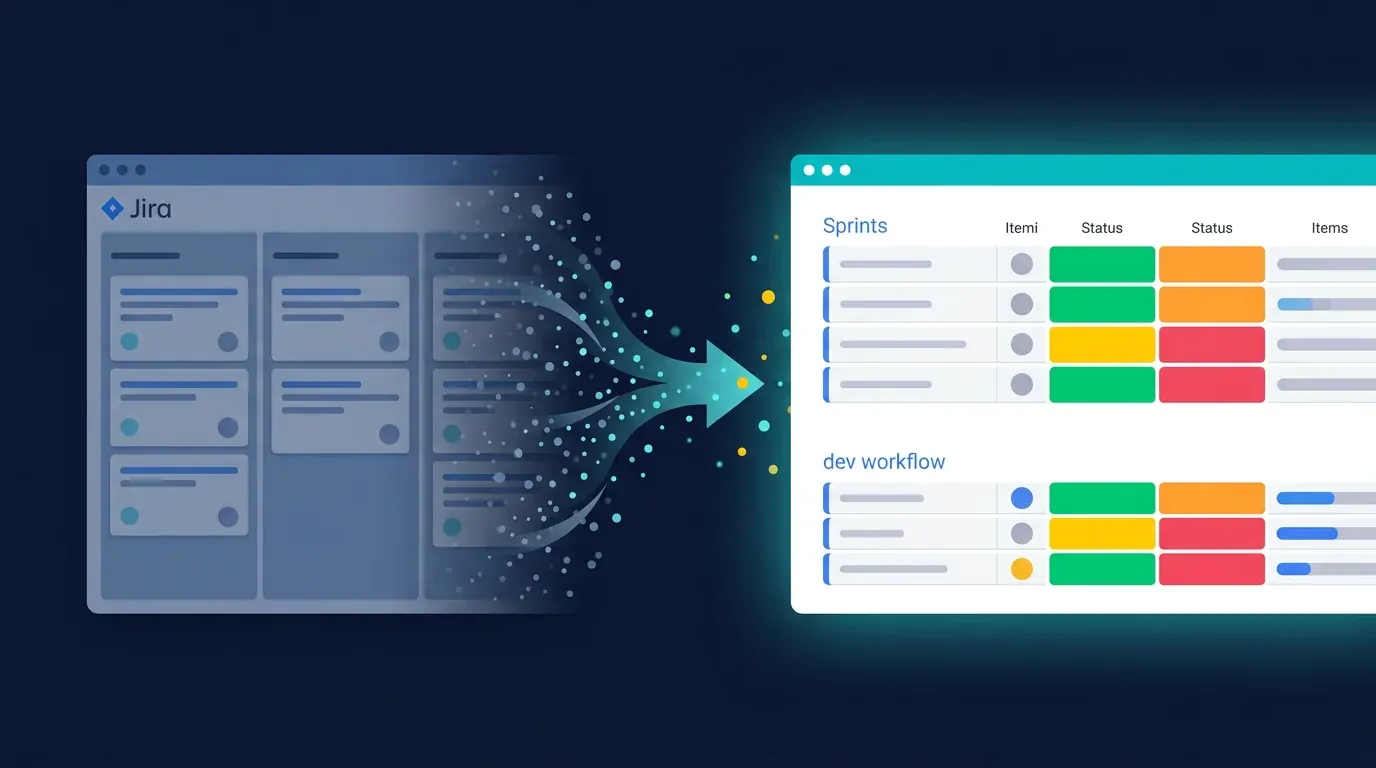
Migrating from Jira to monday Dev – the 2026 Step-by-Step Guide

TL;DR: „A Jira-to-monday-Dev migration takes 4–8 weeks for 50–200 engineers. Keys are: clean status mapping, pilot team first, ruthlessly cut custom fields, hard cutover instead of parallel run."
— Till FreitagWhy migrations fail – and how to prevent it
Most tool migrations don't fail on technology. They fail on three things:
- Lift-and-shift mentality: "Let's rebuild Jira 1:1 in monday." Wrong. You're just bringing the old problems with you.
- Too long parallel run: "Let's keep Jira running for 6 months in case something breaks." Wrong. Nobody maintains two systems – data drifts apart.
- No pilot team: "Let's migrate everyone at the quarter break." Wrong. Pilot first, learn, then scale.
This guide is based on 20+ real Jira-to-monday-Dev migrations we've done at Pacta. Works for teams from 20 to 500 engineers.
Realistic timeline
| Team size | Prep | Pilot | Rollout | Hypercare | Total |
|---|---|---|---|---|---|
| 20–50 engineers | 1 week | 1 week | 1 week | 1 week | ~4 weeks |
| 50–150 engineers | 2 weeks | 2 weeks | 2 weeks | 2 weeks | ~8 weeks |
| 150–500 engineers | 3 weeks | 3 weeks | 4 weeks | 4 weeks | ~14 weeks |
⚠️ Anyone saying "we'll migrate over a weekend" has never done a real migration. Plan honestly.
Phase 1 – Preparation & discovery
Step 1: Jira inventory
Before you migrate anything, you need to know what you have. Export from Jira:
- All projects (with owner, issue count, last activity)
- All custom fields (with usage per project)
- All workflows (with status transitions)
- All automations (Atlassian Automation, ScriptRunner, etc.)
- All plugins and their data (Tempo, Structure, BigPicture, etc.)
Step 2: Cut aggressively
This is the most important step. 80% of custom fields are never used. 60% of workflows are zombies.
Rules of thumb:
- Custom field not used in last 90 days → drop
- Workflow run less than 50× per year → consolidate
- Projects with < 5 issues in 6 months → archive instead of migrate
Result: often 70% less complexity before the migration even starts.
Step 3: Define the target architecture in monday Dev
monday Dev thinks differently than Jira:
| Jira | monday Dev |
|---|---|
| Project | Workspace + Boards |
| Epic | Item in roadmap board |
| Story / Task | Item in sprint board |
| Sub-task | Sub-item |
| Custom fields | Columns |
| Workflow status | Status column (labels) |
| Sprint | Sprint group or sprint feature |
| Component | Tag or dedicated column |
Recommendation: One workspace per squad, with sprint board + bug board + roadmap board inside. Don't try to fit everything into a single board.
Step 4: Stakeholder mapping
Who must be involved before migration?
- Engineering leads of all squads
- Product managers
- QA / testing
- Security & compliance (audit logs)
- Finance (license costs, contracts)
- Tooling/DevOps (integrations with GitHub, Slack, CI/CD)
Phase 2 – Pilot with one team
Why pilot first?
The pilot team validates your architecture with real data and real people. What works on a whiteboard often fails in daily standup.
Pilot team selection
Pick a team that:
- Has 5–10 engineers (big enough for meaningful testing, small enough to iterate fast)
- Is open to tools (no "we've always done it this way")
- Isn't in the most critical release sprint
- Has representative workflows (sprint + bug + roadmap)
What gets tested in the pilot
- ✅ Data migration: All issues land cleanly
- ✅ Sprint workflow: Planning, standup, review work
- ✅ Integrations: GitHub PR linking, Slack notifications, CI/CD status
- ✅ Reporting: Burndown, velocity, cycle time
- ✅ Permissions: Who sees what?
- ✅ Mobile app: Works on the go?
Pilot success criteria
Define clear criteria before the pilot. Example:
- Sprint velocity stable or better after 2 sprints
- No critical bugs in the migration
- 80% team approval in retro
- All integrations functional
Phase 3 – Data migration (technical)
Option A: Native tools (for < 5,000 issues)
monday has a Jira importer in the marketplace that handles basics:
- Issues with title, description, status, priority
- Assignees (if email matches)
- Labels and components
- Comments (limited)
Limitations: Custom fields, sub-tasks, attachments and workflow history are often lost.
Option B: API-based with Make/n8n (for 5,000–50,000 issues)
For more control, build a migration flow:
- Jira REST API → JSON export of all issues
- Transformation in Make/n8n: field mapping, status conversion, sub-task resolution
- monday GraphQL API → bulk import via
create_itemmutations - Validation: diff check between source and target
Tip: Migrate in batches of 500 items, with retry logic. Both APIs have rate limits.
Option C: Custom migration (for 50,000+ issues or high complexity)
For large migrations, a dedicated migration service is worth it – we regularly do this with Python scripts hitting both APIs, including attachment transfer and comment threading.
What you should ALWAYS migrate manually
- Dashboards – the concepts differ too much, automated migration produces garbage
- Complex automations – rebuild them in monday, often much simpler
- Permission schemes – security-critical, validate manually
Phase 4 – Cutover & rollout
Hard cutover instead of parallel run
Set a cutover date (ideally Friday evening after sprint end). From Monday on, the whole team works in monday Dev. Jira is read-only for 30 days as reference, then archived.
Why no parallel run? Because people take the path of least resistance. With both tools running, nobody maintains monday Dev properly – and after 3 months you have two broken systems.
Rollout sequence
- Pilot team (week 1–2)
- Early adopters (week 3–4): 2–3 more open teams
- Mainstream (week 5–8): rest of engineering org
- Stragglers (week 9+): teams with complex setups or compliance needs
Training is mandatory
Nobody starts on monday Dev without at least 2 hours of training:
- 1h live demo with the squad
- 1h self-study (monday Academy or your internal docs)
- Office hours in the first 2 weeks
Phase 5 – Hypercare
The first 2–4 weeks after cutover are critical. Plan for hypercare:
- Dedicated Slack channel (
#monday-dev-help) with fast response time - Daily office hours (15 min) with the migration lead
- Weekly retro: what works? what's annoying? what needs fixing?
- KPI tracking: adoption, sprint velocity, time-to-resolution
If all KPIs are green after 4 weeks: migration successful. End hypercare, start normal ops.
The migration checklist
Preparation (week 1–2)
- Jira inventory complete (projects, custom fields, workflows, automations)
- Aggressive reduction done (target: -70% complexity)
- Target architecture in monday Dev documented
- Stakeholder mapping complete
- Pilot team selected and briefed
- Migration lead assigned
- Jira backup created
Pilot (week 3–4)
- Workspace for pilot team set up
- Sprint, bug and roadmap boards configured
- Pilot team's data migrated
- GitHub/Slack/CI integrations active
- Pilot team trained
- 2 sprints completed in monday Dev
- Retro held, success criteria validated
Data migration (week 5)
- Migration method chosen (importer / Make / custom)
- Field mapping documented
- Test migration on staging done
- Source/target diff check
- Attachment transfer validated
- Permissions set in monday Dev
Cutover (week 6)
- Cutover date communicated (min. 2 weeks ahead)
- Final migration on cutover weekend
- Jira set to read-only
- All teams trained
- Slack hypercare channel live
Hypercare (week 7–10)
- Daily office hours
- Weekly retros
- KPI tracking
- Adoption > 90% after 4 weeks
- Jira archived after 30 days
Best practices from 20+ migrations
✅ Do
- Reduce before migration, not after. Otherwise you carry baggage.
- Take the pilot seriously. Better 2 extra weeks in pilot than 6 months of rollout chaos.
- Hard cutover date. Communicate it early, communicate it often.
- Training is mandatory, not a recommendation.
- Budget for hypercare. This isn't "gold plating", it's required.
❌ Don't
- No lift-and-shift. Use the chance to simplify workflows.
- No endless parallel run. Max 30 days read-only.
- No migration in Q4 or before major releases.
- No migration without an executive sponsor. Without backing, the project tips over at the first resistance.
- Don't try to replace every Atlassian plugin 1:1. You probably don't need most of them in monday Dev.
When you need help
If any of these apply, get external support (us or other monday partners):
- 100+ engineers
- Complex compliance requirements (ISO 27001, SOC 2, FDA)
- Deep Atlassian plugin dependency (Tempo, Structure, ScriptRunner)
- Multi-region setup with data residency requirements
- Migration parallel to other major tool changes
🚀 Pacta regularly migrates engineering orgs from Jira to monday Dev – including technical migration, workflow redesign and team onboarding. Free 30-min call: Book now.
Read more
Related Articles

monday Dev vs. Linear – Who Wins the 2026 Dev Tool Showdown?
Linear is the new darling of the Hacker News crowd. monday Dev is the pragmatic all-rounder. We compare both tools hones…
Read more
monday Dev: Why It's the Most Underrated Dev Tool of 2026
Agile out of the box, MCP-ready, and the cheapest enterprise pricing on the market: why monday Dev is becoming a serious…
Read more
Sprint Planning with monday Dev – the 2026 Deep Dive
How to make sprint planning with monday Dev actually productive: concrete board setups, role model for Scrum & Kanban, e…
Read moreThe Best monday.com Integrations for DevOps & Development (2026)
Connect GitHub, GitLab, or Jira with monday.com – bridging development and project management seamlessly.…
Read moreWhy monday dev Is the Better Jira – An Honest Comparison
Jira is the incumbent – but is it still the best choice? We compare monday dev and Jira in the categories that truly mat…
Read more
monday CRM as Zendesk Sell Alternative – Migration & Comparison 2026
Zendesk Sell is discontinued. Learn why monday CRM is the best alternative and how to migrate in 5 steps.…
Read more
Effective Project Management with monday.com – 12 Best Practices (2026 Update)
The best strategies for monday.com project management in 2026 – from board structure to AI Blocks, Sidekick and monday D…
Read more
make.com Error Handling & Retry Strategies: Building Resilient Scenarios (2026)
Complex make.com scenarios fall over without proper error handling. Here's how to build error routes, retry logic, and c…
Read more
make.com Performance & Operations Optimization: Bundle Size, Filters, Aggregators (2026)
Make.com bills per operation – and slow scenarios cost twice: in money and in latency. Here's how to optimize bundle siz…
Read more