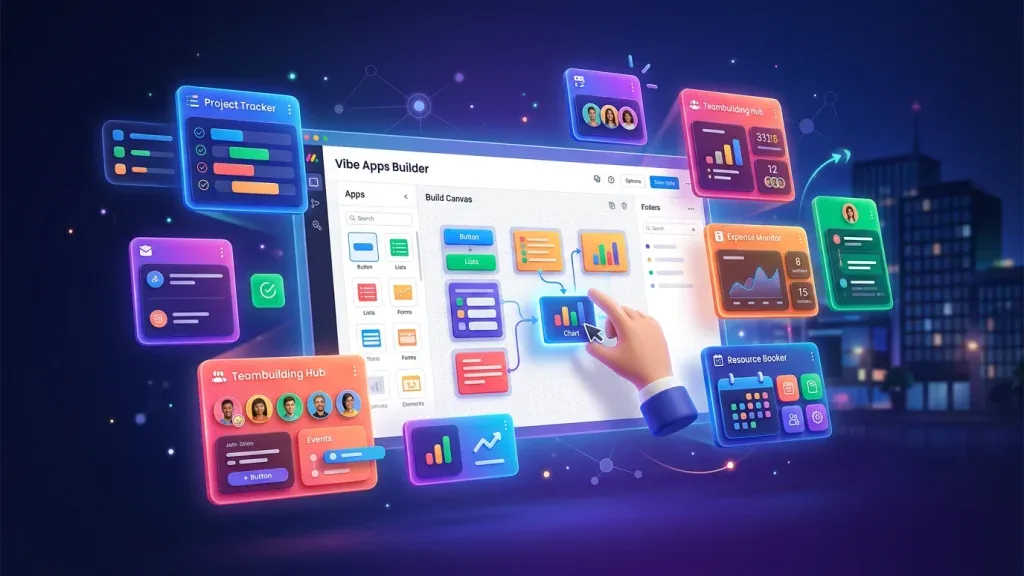
monday Vibe Apps – Build Custom Mini-Applications Without Code (2026 Guide)

TL;DR: „With monday Vibe Apps you can build custom mini-applications inside monday.com – via prompt, without a single line of code, free to test."
— Till FreitagWhat Are monday Vibe Apps?
monday Vibe Apps are a new category within the monday.com ecosystem: mini-applications you create using natural language – directly in the browser, with zero coding skills required. Instead of installing complex Marketplace apps or integrating external tools, you simply describe what you need and monday builds the app for you.
The concept follows the broader Vibe Coding trend: describe the solution, let AI generate the code.
How They Differ from Classic monday Apps
| Feature | Marketplace App | Vibe App |
|---|---|---|
| Creation | Developer with SDK | Anyone via prompt |
| Installation | Marketplace search | Directly in board |
| Customization | Vendor settings | Fully individual |
| Cost | Often paid | Build & test free |
| Maintenance | Vendor-dependent | You control everything |
How to Build Your First Vibe App
Step 1: Describe Your App
Open the Vibe Apps Builder in monday.com and describe your desired application:
"Create a dashboard that groups all open deals by region and shows the expected close probability as a progress bar."
Step 2: AI Generates the App
monday's AI creates a working mini-application based on your prompt – including UI, data connection to your boards, and interactive elements.
Step 3: Test & Iterate
The app runs immediately in a preview. You can make changes through follow-up prompts:
"Add a quarter filter and change the colors to match our corporate design."
Step 4: Publish
Once the app is ready, you can publish it within your account. This is where the tier-based pricing model applies (more below).
Practical Examples: What You Can Build
1. Sales Pipeline Tracker
A visual dashboard that displays your CRM data from monday CRM in real-time – with drag-and-drop between pipeline stages.
2. Client Project Status Board
A lean, external dashboard showing clients their project progress – without giving them access to your internal monday board.
3. Team Availability Planner
A calendar app that consolidates vacation days, workload, and team availability from various boards.
4. Onboarding Checklist
An interactive onboarding app for new employees combining tasks, training videos, and feedback forms.
5. Executive KPI Dashboard
An executive dashboard with key metrics from Sales, Projects, and Support – aggregated from multiple boards.
What Does Building With Vibe Cost? The Dual Pricing Model (Update May 2026)
With the pricing update on May 6, 2026, monday.com replaced the old "building is always free" logic. Vibe now bills along two axes – misunderstand them and your budget plan will be wrong. Full breakdown and example math in our Vibe Pricing 2026 article.
1. Publishing Fee
- $10 per published app per month – fixed, regardless of usage
- If you purchase an AI credit package, you get free published apps on top (Enterprise: 5 free apps, for example). The publishing fee is waived, but credits from prompts still apply
2. Credit Consumption Per Prompt
Credits are now consumed in three scenarios:
- Build phase – Every prompt you send to Vibe while building costs credits
- Published apps – Every prompt your end users send to the app costs credits
- Internal AI blocks/actions – Additional credit consumption inside the app
Model Choice Affects the Cost
Builders can explicitly set the AI model per prompt. Without specification, Vibe auto-selects based on prompt complexity – cheap for simple requests, more expensive for complex generations.
⚠️ Practical consequence: Plan Vibe apps like SaaS licenses going forward, not like one-off experiments. Even "just testing" consumes build credits.
For the full breakdown (AI Credits ≠ Vibe Credits, example math, Enterprise quotas) → monday Vibe Pricing 2026 Explained.
Comparison with External No-Code Tools
| Aspect | Vibe Apps | Retool | Glide | Lovable |
|---|---|---|---|---|
| monday Integration | Native | API required | API required | API required |
| Learning Curve | Minimal (prompt) | Medium | Low | Low |
| Hosting | Included | Separate | Included | Included |
| Customizability | High (via prompt) | Very high | Medium | Very high |
| Target Audience | monday users | Developers | Citizen developers | Web projects |
Tip: Vibe Apps are perfect for internal tools within the monday ecosystem. For standalone web applications, Lovable remains the better choice.
Vibe Apps vs. monday Automations
Vibe Apps and monday Automations complement each other:
- Automations = When X happens, do Y (rule-based, background)
- Vibe Apps = Custom UI with logic, visualization, and interaction
A typical setup: An automation updates data in the board, a Vibe App visualizes that data in a custom dashboard.
Best Practices for Vibe Apps
1. Start Small
Begin with a single function. A KPI widget is better than an overloaded mega-dashboard.
2. Iterate Your Prompts
As with Vibe Coding, small and precise prompts deliver better results than a single mammoth prompt.
3. Leverage Existing Board Structure
Vibe Apps work best with well-structured boards. Invest in clean column names and consistent data first.
4. Build for Your Team
The greatest strength of Vibe Apps is democratization: business departments can build their own tools without waiting for IT. Encourage your team to create their own apps.
5. Don't Forget Governance
With freedom comes responsibility. Define guidelines:
- Who can publish apps?
- What data can be displayed in apps?
- How are apps documented and maintained?
This connects to the broader topic of AI governance in organizations.
The Big Picture: monday.com's Platform Strategy
Vibe Apps are part of a larger vision. monday.com is evolving from a project management tool into a platform:
- Account360 – 360° customer view across all products
- Zero Update CRM – AI-powered data maintenance
- AI Agents – Automated sales processes
- Vibe Apps – Custom mini-applications without code
Together, these features form an ecosystem where businesses can map their entire business logic – without external tools.
Conclusion: The Future Belongs to Builders
monday Vibe Apps lower the barrier to custom business applications to a minimum. You don't need developers, no budget for external tools, and no technical expertise. You just need an idea and a good prompt.
The combination of Vibe Apps, AI Agents, and Account360 makes monday.com arguably the most complete business platform on the market in 2026.
If you need help building your Vibe Apps or designing your monday workflows, get in touch – we'll help you get the most out of the platform.
Related Articles
monday Vibe Q1/2026: A Year's Backlog in One Quarter – The Biggest Update Since Launch
monday.com shipped an entire year's backlog for Vibe Apps in Q1/2026. 19+ features, 26 A/B tests, mobile support, Gmail/…
Read more
monday Vibe Pricing 2026 – The Big May 6 Update Explained
On May 6, 2026, monday.com fundamentally changed Vibe pricing: publishing is now bundled with the AI Credits add-on, eve…
Read more
Replit 2026 – The All-in-One Platform for AI-Powered Development
Replit combines a code editor, hosting, database, and AI agent in one browser platform. Here's what Replit can do in 202…
Read more
What Is Agentic Engineering? The Next Step Beyond Vibe Coding
Agentic Engineering goes beyond Vibe Coding: AI agents plan, decide, and implement autonomously. What this means for tea…
Read more
Lean CRM Teams: The 3-Step Framework for 80% Less Manual Work
'We have too many people in our CRM team, we work inefficiently, and we have nothing going on with AI.' That's the exact…
Read more
AI in Project Management: Opportunities, Risks & Actionable Tips
How artificial intelligence makes your project management smarter – with concrete tips you can implement today.…
Read more
The 10 Best monday MCP Prompts for Your Daily Work
Copy-paste-ready prompts for Claude, Cursor, and ChatGPT – to control monday.com via natural language. From board creati…
Read more
monday.com MCP: All Available Tools and Integrations Overview
monday.com offers two powerful MCP servers – Platform MCP and Apps MCP – plus native integrations for Claude, Cursor, Ch…
Read more
monday.com Sidekick 3.0 Is Fully Released: Smarter AI Across the Entire Platform
monday.com rolls out Sidekick 3.0 to all customers – with massively expanded action coverage, cross-platform execution, …
Read more