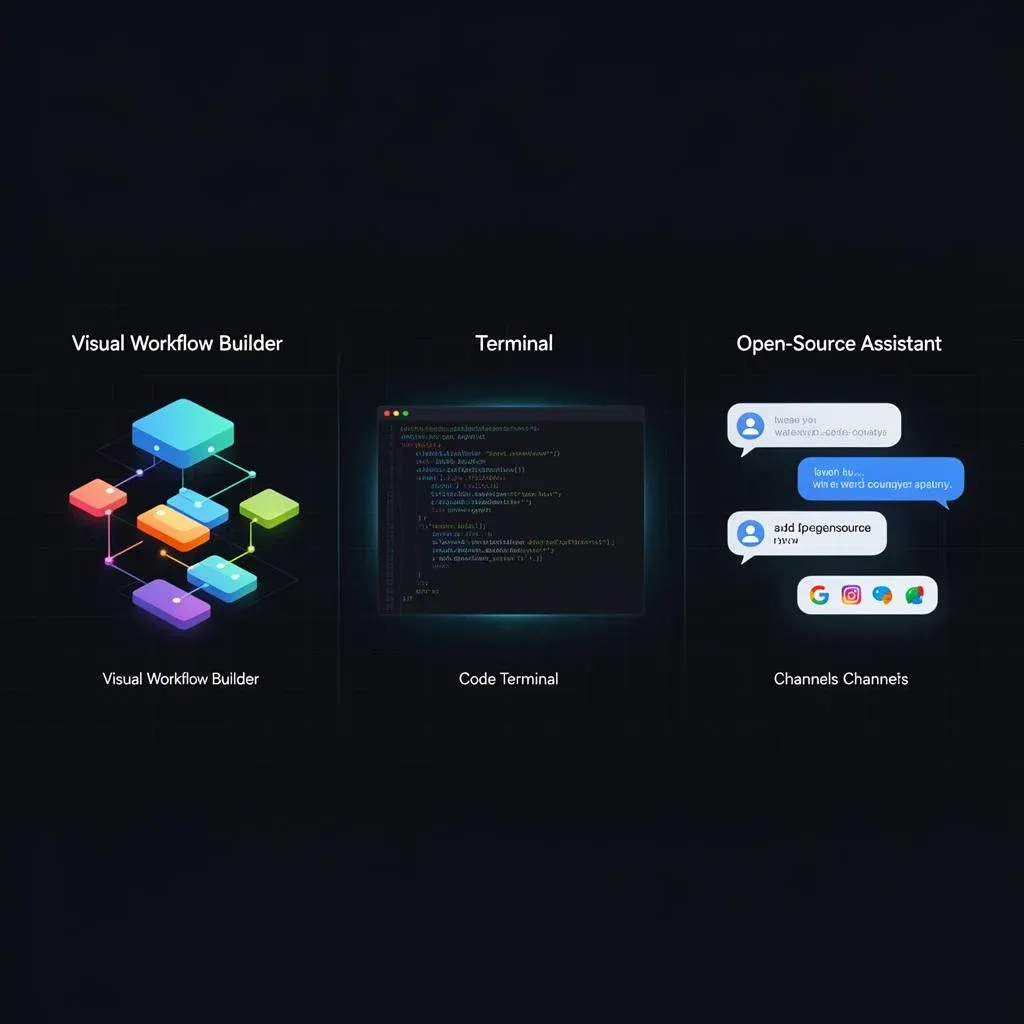
Make vs. Claude Code vs. OpenClaw – Picking the Right Orchestration Layer (2026)

TL;DR: „Make for structured workflows, Claude Code for custom code, OpenClaw for self-hosted assistants – they're not competitors, they're different layers of the stack."
— Till FreitagThree Tools. Three Layers. One Question.
The automation landscape in 2026 has fundamentally shifted. It's no longer about "Zapier or Make?" – it's about entirely different approaches solving different problems.
Make.com (Celonis, $13.2B valuation), Claude Code (Anthropic, $380B valuation), and OpenClaw (open source) are not competing products. They're different layers of the orchestration stack.
The question isn't: "Which one is best?" The question is: What are you actually trying to build?
The Comparison at a Glance
| Make.com | Claude Code | OpenClaw | |
|---|---|---|---|
| Product type | Visual workflow automation | AI coding agent | AI assistant & action layer |
| Best for | Multi-step automations, routing, integrations | Custom tools, code, internal automations | Task execution, assistant-led actions, cross-channel |
| Core strength | Mature builder with 3,000+ integrations | Highest flexibility through code | Lean & fast for execution-heavy use cases |
| Main limitation | Cost and complexity rise with scale | Needs technical judgment and prompting | Less proven for deep orchestration |
| Learning curve | Moderate | Moderate to hard | Moderate for technical users |
| Typical user | Ops teams, automation builders, tech marketers | Developers, technical operators, founders | Founders, operators, growth teams |
| Price | From $0, paid from $9/mo | From $20/mo (Claude Pro) | $0 self-hosted + hosting/API costs |
| Complexity | 4/10 | 5/10 | 6/10 |
Make.com – The Workflow Orchestrator
Make (formerly Integromat, now part of Celonis) is the most mature visual automation platform on the market.
What Make Does
- Visual scenario builder: Drag & drop with branching, loops, error routes
- 3,000+ app integrations: From Google Workspace to Shopify to Salesforce
- AI Scenario Builder (2026): Describe scenarios in natural language and auto-generate them
- EU Data Residency: GDPR-compliant out of the box
When to Pick Make
- You need structured, visible, maintainable workflows across many tools
- Your team isn't purely technical – the visual builder makes logic understandable
- You want operational logic: approval flows, routing, conditional branching
- Compliance and auditability matter
Where Make Hits Limits
- Complex scenarios take time to design and maintain
- Costs scale with operations volume
- Custom code requires HTTP modules or workarounds
Our take: Make is the foundation for any structured automation. As a certified partner, we've used it as our primary orchestration tool for years.
Claude Code – The Coding Agent
Claude Code by Anthropic is not an automation tool in the traditional sense – it's an AI coding agent that writes, runs, and ships code for complex technical tasks.
What Claude Code Does
- Codebase-aware: Reads and understands your entire codebase
- Writes and runs code: Scripts, tools, automations – directly in the terminal
- Shipping speed: From idea to working tool in minutes, not days
- High precision: Anthropic's Claude models are leading in reasoning and coding
When to Pick Claude Code
- The fastest path is custom code, not dragging blocks in a builder
- You need one-off scripts, internal tools, or repo-specific automations
- You want maximum flexibility without visual builder constraints
- Code reviews, refactoring, and technical analysis are your daily work
Where Claude Code Hits Limits
- Terminal-first workflow – less visual oversight than a builder
- Needs technical direction and clear prompting
- No native integration into business apps like CRMs or ERPs
Our take: Claude Code is our go-to for agentic engineering. We use it daily for custom tooling and codebase work – combined with Make for the operational layer.
OpenClaw – The Self-Hosted Assistant
OpenClaw is an open-source AI agent that works as an action layer across chat apps, terminal, and API.
What OpenClaw Does
- Self-hosted: Full control over data and infrastructure
- Multi-channel: Slack, Discord, Teams, terminal – one agent everywhere
- Tool execution: Lightweight automations, research, messaging
- Multi-LLM: OpenAI, Anthropic, Mistral, or local models via Ollama
When to Pick OpenClaw
- You want a self-hosted assistant you fully control
- Speed and simplicity matter more than workflow depth
- You need a cross-channel agent for messaging, research, and tasks
- GDPR and data sovereignty are non-negotiable
Where OpenClaw Hits Limits
- Setup, permissions, and security are more involved than people think
- Less proven than Make for complex, multi-step orchestration
- Community support rather than enterprise SLA
Our take: OpenClaw is the exciting open-source alternative for teams that want maximum control. For production setups, we recommend Docker-based hosting.
They're Different Layers
This is the key insight: These tools don't compete with each other. They solve different problems at different levels:
| Layer | Tool | Function |
|---|---|---|
| Workflow orchestration | Make.com | Structured, visual, multi-step automations |
| Code & custom tools | Claude Code | One-off scripts, internal tools, technical automation |
| Assistance & execution | OpenClaw | Cross-channel task execution, lightweight actions |
In practice, we use all three – depending on the task:
- Make orchestrates operational workflows (lead routing, onboarding, reporting)
- Claude Code builds custom tools that Make can't (API parsers, data pipelines, internal dashboards)
- OpenClaw handles fast, cross-channel tasks (inbox triage, Slack actions, research)
Scoring Matrix: Which Tool When?
| Criterion | Make.com | Claude Code | OpenClaw |
|---|---|---|---|
| Structured workflows | ★★★★★ | ★★☆☆☆ | ★★★☆☆ |
| Custom code & tools | ★★☆☆☆ | ★★★★★ | ★★★☆☆ |
| Speed to value | ★★★★☆ | ★★★★★ | ★★★☆☆ |
| Visual auditability | ★★★★★ | ★☆☆☆☆ | ★★☆☆☆ |
| Data control / GDPR | ★★★★☆ | ★★★☆☆ | ★★★★★ |
| Scalability | ★★★★☆ | ★★★★★ | ★★★☆☆ |
| Ease of entry | ★★★★☆ | ★★★☆☆ | ★★★☆☆ |
Our Stack in Practice
For our clients, we typically deploy this combination:
| Task | Tool | Why |
|---|---|---|
| Lead routing & CRM syncs | Make.com | Structured, auditable, maintainable |
| Custom API integrations | Claude Code | Faster than any builder |
| Email triage & inbox management | OpenClaw | Cross-channel, privacy-compliant |
| Approval workflows | Make.com | Visual, auditable |
| Internal tools & dashboards | Claude Code | Code-first, maximum flexibility |
| Research & monitoring | OpenClaw | Proactive, multi-channel |
Conclusion: Ask the Right Question
Stop searching for the "best" tool. Ask instead:
- Do I need visible, structured workflows? → Make.com
- Is custom code the fastest path? → Claude Code
- Do I need a self-hosted assistant across channels? → OpenClaw
Most teams need at least two of these layers. The art lies in the right combination.
Not sure which combination fits your team? Talk to us – we help with orchestration strategy.
More on this topic: Make.com Guide · What is OpenClaw? · 5 Building Blocks of an AI Agent · Agent Skills as a Standard
Related Articles

OpenClaw Audit 2026: What's Left of All Those Promises?
OpenClaw was the hot new thing in 2024, a LinkedIn religion in 2025, and supposedly dead in 2026. A sober audit: what he…
Read more
Coding-Agent Layer 2026: OpenCode, Aider, Continue.dev & Co. Compared
Deep dive into the coding-agent layer: which OpenClaw coding rival fits which workflow? OpenCode, Aider, Continue.dev, S…
Read more
\"Claude Code Killed OpenClaw\" – Why This Comparison Is Complete Nonsense
On LinkedIn you increasingly read: \"Claude Code killed OpenClaw.\" That's like comparing apples with interstellar space…
Read more
Paperclip: If OpenClaw Is the Employee, Paperclip Is the Company
Paperclip is open-source infrastructure that lets you run an entire AI company — org chart, budgets, approvals, audit tr…
Read more
Claude Code Is No Longer a Dev Tool – It's a GTM Layer
With Opus 4.6, Claude Code has fundamentally changed: from a developer tool to an autonomous Go-To-Market layer. What we…
Read more Deep Dive
Copilot vs. OpenClaw vs. Claude: Enterprise AI Agents Compared 2026
Three philosophies, one goal: AI agents in the enterprise. Microsoft Copilot (platform), OpenClaw (open source), Claude …
Read moreMulti-Agent Layer 2026: AG2, LangGraph, SuperAGI & AWS Strands Compared
When one agent isn't enough: AG2, LangGraph, SuperAGI and AWS Strands compared. Which multi-agent stack fits which workf…
Read moreSelf-Hosted & Privacy Layer 2026: Ontheia, Anything LLM & Privacy Router
If you take GDPR seriously, there's no way around self-hosting. Ontheia, Anything LLM, NanoClaw and the Privacy Router c…
Read more
monday.com + OpenClaw: How monday.com Becomes the Brain of Your AI Agent
monday.com is more than a project management tool – it can serve as the long-term memory and execution log for an AI age…
Read more