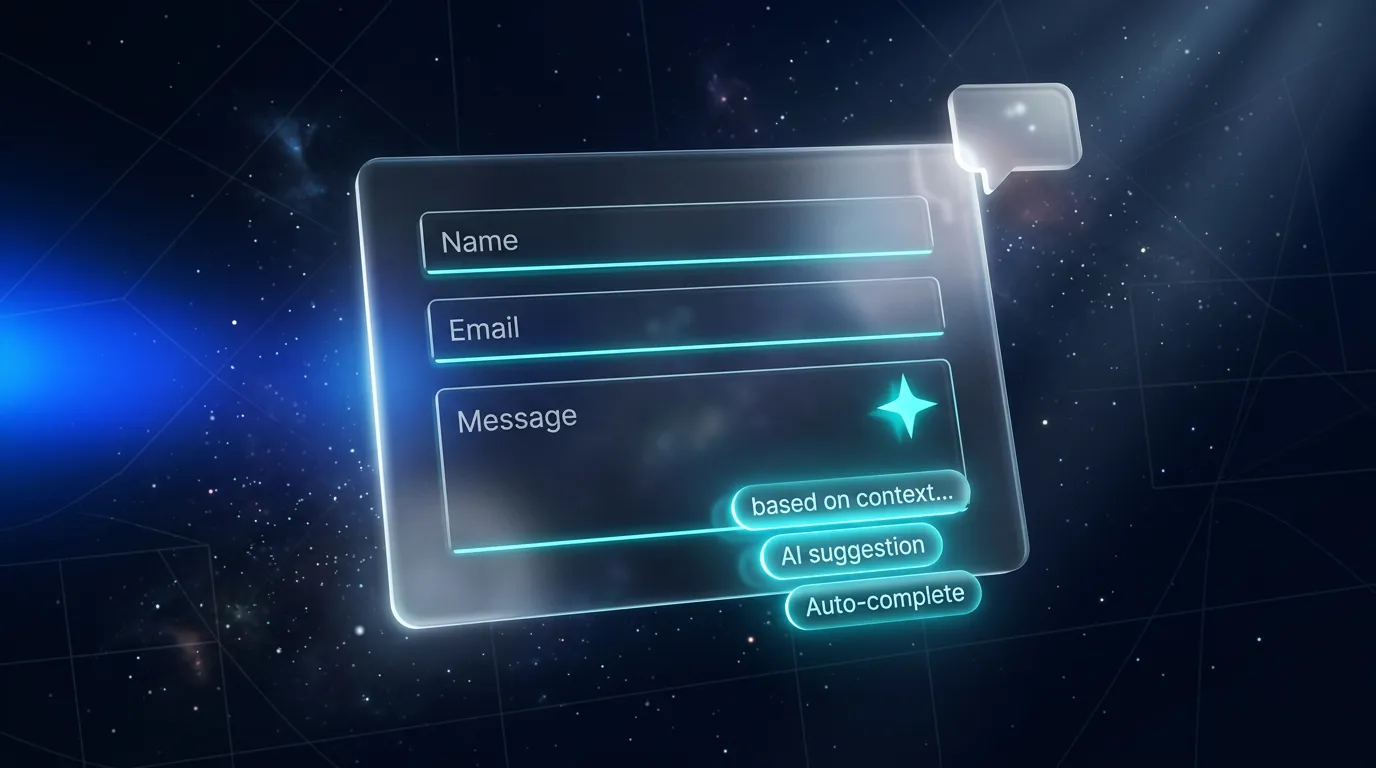
Smart Forms mit AI in Lovable: Auto-Complete, AI-Validierung & Conversational Forms

TL;DR: „Drei Patterns, mit denen du jedes Formular smarter machst: AI ergänzt automatisch (Auto-Complete), AI prüft Plausibilität (Validierung) und AI ersetzt das Formular (Conversational)."
— Till Freitag📌 Lovable-Forms-Serie · Teil 5 von 6
Wir haben in Teil 2 custom gebaut, in Teil 3 production-ready gemacht und in Teil 4 ans CRM angebunden. Jetzt: AI ins Formular einziehen lassen.
Smart Forms mit AI in Lovable: Auto-Complete, AI-Validierung & Conversational Forms
Klassische Formulare sind dumm: Du fragst, der User tippt, du speicherst. Mit dem Lovable AI Gateway machst du das Formular zu einem aktiven Assistenten, der mitdenkt, ergänzt, prüft – oder das ganze Formular durch ein Chat-Interface ersetzt.
In diesem Teil zeigen wir drei konkrete Patterns mit Code, den du in 30 Minuten in dein Lovable-Projekt übernehmen kannst.
Setup: Lovable AI Gateway
Wir nutzen den Lovable AI Gateway – kein eigener API-Key, keine OpenAI-/Anthropic-Verträge, dafür Zugriff auf Gemini und GPT-Modelle. Lovable Cloud muss aktiv sein, dann ist LOVABLE_API_KEY automatisch in jeder Edge Function verfügbar.
Default-Modell für alle drei Patterns: google/gemini-3-flash-preview (schnell, günstig, multimodal).
Pattern 1: AI-Auto-Complete
Use Case: Nutzer tippt „Till Freitag Consulting" in ein Firmenfeld – und das Formular ergänzt automatisch Branche, ungefähre Größe, Stadt.
Edge Function
// supabase/functions/enrich-company/index.ts
import { serve } from "https://deno.land/std@0.168.0/http/server.ts";
import { z } from "https://deno.land/x/zod@v3.22.4/mod.ts";

const corsHeaders = {
  "Access-Control-Allow-Origin": "*",
  "Access-Control-Allow-Headers": "authorization, x-client-info, apikey, content-type",
};

const Body = z.object({ company: z.string().trim().min(2).max(200) });

serve(async (req) => {
  if (req.method === "OPTIONS") return new Response(null, { headers: corsHeaders });

  const parsed = Body.safeParse(await req.json());
  if (!parsed.success) {
    return new Response(JSON.stringify({ error: "Invalid input" }), { status: 400, headers: corsHeaders });
  }

  const apiKey = Deno.env.get("LOVABLE_API_KEY");
  if (!apiKey) throw new Error("LOVABLE_API_KEY missing");

  const res = await fetch("https://ai.gateway.lovable.dev/v1/chat/completions", {
    method: "POST",
    headers: { Authorization: `Bearer ${apiKey}`, "Content-Type": "application/json" },
    body: JSON.stringify({
      model: "google/gemini-3-flash-preview",
      messages: [
        {
          role: "system",
          content: "You enrich company names with public business info. Return null fields if unsure. Never invent data.",
        },
        { role: "user", content: `Company: ${parsed.data.company}` },
      ],
      tools: [{
        type: "function",
        function: {
          name: "enrich",
          description: "Return enriched company info",
          parameters: {
            type: "object",
            properties: {
              industry: { type: "string", nullable: true },
              employees_estimate: { type: "string", enum: ["1-10","11-50","51-200","201-1000","1000+"], nullable: true },
              hq_city: { type: "string", nullable: true },
              confidence: { type: "string", enum: ["low","medium","high"] },
            },
            required: ["confidence"],
          },
        },
      }],
      tool_choice: { type: "function", function: { name: "enrich" } },
    }),
  });

  if (res.status === 429) return new Response(JSON.stringify({ error: "Rate limit" }), { status: 429, headers: corsHeaders });
  if (res.status === 402) return new Response(JSON.stringify({ error: "AI credits exhausted" }), { status: 402, headers: corsHeaders });

  const data = await res.json();
  const args = data.choices?.[0]?.message?.tool_calls?.[0]?.function?.arguments;
  const enrichment = args ? JSON.parse(args) : null;

  return new Response(JSON.stringify({ enrichment }), {
    headers: { ...corsHeaders, "Content-Type": "application/json" },
  });
});
Frontend mit Debounce
const [enrichment, setEnrichment] = useState<Enrichment | null>(null);
const company = useWatch({ control, name: "company" });
const debounced = useDebounce(company, 600);

useEffect(() => {
  if (!debounced || debounced.length < 3) return;
  supabase.functions.invoke("enrich-company", { body: { company: debounced } })
    .then(({ data }) => {
      if (data?.enrichment?.confidence !== "low") setEnrichment(data.enrichment);
    });
}, [debounced]);

// Im JSX: pre-fillen + "AI hat ergänzt"-Indikator
{enrichment && (
  <p className="text-xs text-muted-foreground flex items-center gap-1">
    ✨ Vorschlag von AI – <button onClick={applyEnrichment}>übernehmen</button> oder selbst eintragen
  </p>
)}
Wichtige UX-Regel: Nie automatisch befüllen ohne sichtbare Markierung. Der User muss verstehen, was er übernimmt.
Pattern 2: AI-Validierung (Plausibilitäts-Check)
Use Case: Im Support-Formular wählt der User Kategorie „Rechnungsfrage", schreibt aber „Mein Login funktioniert nicht". AI erkennt den Mismatch und schlägt sanft die richtige Kategorie vor.
// In der gleichen Edge-Function-Logik, anderes System-Prompt:
{
  role: "system",
  content: `You check whether a support message matches the chosen category.
            Return one of: match, mismatch, unclear. If mismatch, suggest a better category from: billing, login, bug, feature_request.`,
}
Im Frontend:
{validation?.result === "mismatch" && (
  <Alert variant="warning">
    Klingt eher nach <strong>{validation.suggested}</strong>. Trotzdem als „{currentCategory}" senden?
    <Button size="sm" onClick={() => setValue("category", validation.suggested)}>Ja, ändern</Button>
  </Alert>
)}
Das ist freundliche Validierung – nicht blockierend, sondern hilfreich. Conversion bleibt hoch, Daten werden sauberer.
Pattern 3: Conversational Form
Use Case: Statt 12 Felder fragt ein Chat-Interface natürlich („Was kann ich für dich tun?") und extrahiert die Daten im Hintergrund per Tool-Call.
Architektur
[Chat-UI] ←→ [streaming Edge Function] ←→ [AI Gateway]
                       ↓
                [Tool-Call: save_lead]
                       ↓
                [Lovable Cloud DB]
Der Trick: AI bekommt ein Tool save_lead({name,email,topic,urgency}) und wird angewiesen, erst alle Felder zu sammeln, dann das Tool aufzurufen.
const tools = [{
  type: "function",
  function: {
    name: "save_lead",
    description: "Call ONLY when name, email, topic and urgency are all known.",
    parameters: {
      type: "object",
      properties: {
        name: { type: "string" },
        email: { type: "string" },
        topic: { type: "string" },
        urgency: { type: "string", enum: ["low","medium","high"] },
      },
      required: ["name","email","topic","urgency"],
    },
  },
}];
System-Prompt:
Du bist Tills KI-Assistent. Sammle freundlich Name, E-Mail, Anliegen und Dringlichkeit – maximal 4 kurze Fragen. Sobald du alles hast, rufe
save_leadauf und bedanke dich. Stelle pro Nachricht max. eine Frage.
Der User erlebt einen kurzen, natürlichen Chat. Du bekommst strukturierte Daten – wie aus einem Formular.
💡 Wann sinnvoll? B2B-Demo-Anfragen, Onboarding-Wizards, Support-Triagen. Wann nicht? Wenn der User es eilig hat (Newsletter, Checkout).
Kosten- und Rate-Limit-Bewusstsein
Alle drei Patterns kosten AI-Tokens. Faustregeln:
| Pattern | Calls pro Form-Submit | Risiko |
|---|---|---|
| Auto-Complete | 1–3 (debounced) | Mittel – Nutzer tippt viel |
| AI-Validierung | 1 beim Submit | Niedrig |
| Conversational | 5–15 (Multi-Turn) | Hoch – langer Chat |
Schutz vor Missbrauch:
- Server-seitiges Rate-Limiting (z.B. 10 Calls/IP/Stunde)
- Hard-Limit pro User-Session
- Honeypot-Feld (siehe Teil 3)
- 402/429-Errors aus dem Gateway durchschleifen und im UI sichtbar machen
Fazit
AI im Formular ist nicht „cool", sondern funktional: Auto-Complete reduziert Tipparbeit, AI-Validierung erhöht Datenqualität, Conversational Forms verbessern Conversion bei komplexen Use Cases.
Mit dem Lovable AI Gateway ist die Einstiegshürde minimal – kein eigener Provider-Vertrag, keine Key-Rotation, kein Vendor-Lock-in. Du fängst mit Pattern 1 an und siehst nach 50 Submits, ob es sich lohnt.
👉 Weiter in der Serie: Teil 6 – File-Uploads in Lovable-Formularen
👉 Zurück: Teil 1 · Teil 2 · Teil 3 · Teil 4
Du willst AI tiefer in dein Produkt bringen? Sieh dir den AI Product Studio an – wir bauen Smart-Form- und Agent-Workflows als Service.
Lovable Forms Serie
1 von 6 gelesen · 17%Sechs Artikel, die dich von der Tool-Wahl bis zu AI-gestützten Formularen mit File-Uploads bringen.
- TEIL 1Ungelesen
Formular-Tools im Vergleich
Tally, Typeform & monday WorkForms – wann sich SaaS lohnt.
Lesen - TEIL 2Ungelesen
Custom-Bau in Lovable
React Hook Form + zod + Lovable Cloud – die Eigenbau-Basis.
Lesen - TEIL 3Ungelesen
Production-Ready Best Practices
Validierung, DSGVO, Spam-Schutz, UX-Feedback.
Lesen - TEIL 4Ungelesen
Anbindung an monday.com
GraphQL API, Edge Function, Lead → Item im Board.
Lesen - TEIL 5GelesenHier
Smart Forms mit AI
Auto-Complete, AI-Validierung, Conversational Forms.
- TEIL 6Ungelesen
File-Uploads & Storage
Drag & Drop, Supabase Storage, RLS, signed URLs.
Lesen
Lesefortschritt wird lokal in deinem Browser gespeichert (localStorage).
Related Articles
Formulare an monday.com anbinden: Lead-Form → Item via GraphQL API
Teil 4 der Lovable-Forms-Serie: So schreibst du Lovable-Formulare direkt in monday-Boards – mit GraphQL, Edge Function u…
Read more
Formular-Tools für Lovable-Projekte: Typeform, Tally & monday WorkForms im Vergleich
Teil 1 der Lovable-Forms-Serie: Welches SaaS-Formular-Tool passt zu deinem Lovable-Projekt? Tally, Typeform & monday Wor…
Read more
Kontaktformulare in Lovable – Best Practices für professionelle Formulare
Teil 3 der Lovable-Forms-Serie: Production-Ready Best Practices für Kontaktformulare in Lovable – Validierung, DSGVO, Sp…
Read more
File-Uploads in Lovable-Formularen: Drag&Drop, Supabase Storage, RLS und signed URLs
Teil 6 der Lovable-Forms-Serie: Komplettes Setup für Datei-Uploads in Lovable-Formularen – mit react-dropzone, Supabase …
Read more
Formulare in Lovable selber bauen: React Hook Form, zod & Lovable Cloud Schritt für Schritt
Teil 2 der Lovable-Forms-Serie: Wie du Formulare direkt in Lovable baust – mit React Hook Form, zod, shadcn/ui und Lovab…
Read more
Framer Motion in Lovable nutzen – einfach prompten reicht (fast)
Framer Motion ist in Lovable-Projekten quasi out of the box dabei. Du musst es nicht installieren – du musst es richtig …
Read more
Google Login in Lovable einrichten – SSO & Auth Schritt für Schritt
So richtest du Google Sign-In für dein Lovable-Projekt ein – von der Cloud Console bis zur fertigen Login-Seite. Komplet…
Read more
Die besten Lovable Ressourcen – Dein ultimativer Guide 2026
Alle wichtigen Lovable Ressourcen auf einen Blick: offizielle Docs, Community, YouTube-Tutorials, Pricing und unsere bes…
Read more
Wir sind keine Webagentur – und das ist der Punkt
Ihr sucht eine Webagentur? Dann seid ihr bei uns falsch. Ihr sucht jemanden, der euer digitales Problem löst? Dann seid …
Read more