
Claude Code Hidden Features – 15 Power Tips from Boris Cherny (Anthropic)

TL;DR: „Claude Code is no longer a chat interface. It's an Agent OS – and these 15 features prove it."
— Till Freitag📌 Update May 2026: Anthropic has heavily expanded Claude Code since Q3 2025 – Sub-Agents, Skills (reusable instruction bundles), Plan Mode and a stable Hooks system are now GA. The 15 features below are still relevant, but today they're just the base layer of a mature Agent OS. Deeper dive: What is Agentic Engineering?
Claude Code is growing up
Boris Cherny, engineer at Anthropic, recently shared 15 features that most Claude Code users don't know about. No marketing fluff – real power-user capabilities that fundamentally change how you work with the tool.
We use Claude Code daily as our primary engineering tool. Most of these features aren't new to us – but the way Anthropic brings them together shows a clear direction: Claude Code is evolving from a CLI chat into a Developer Operating System.
Here are the features that actually make a difference – with our take.
Voice-First Coding with /voice
Hold spacebar, talk, release. Boris says he now codes mostly by voice. Sounds absurd – but works surprisingly well for:
- High-level instructions: "Refactor the auth logic, extract the token refresh into its own hook"
- Code reviews: "Explain what this function does and where the edge cases are"
- Quick fixes: "Add error handling for the API call on line 42"
Voice isn't optimal for every context. But for the 80% of interactions that are natural language, it's simply faster than typing.
Mobile App – Claude Code on your phone
Full Claude Code on iOS and Android. Review PRs, fix bugs, push commits – from your smartphone. Sounds like a gimmick, but in practice it's gold:
- Sunday evening, Slack notification: production bug. Quickly commit the fix from your phone without opening the laptop.
- On the train between meetings: go through code reviews and give feedback.
- Pair programming with the team while you're on the move.
Teleport Sessions
claude --teleport or simply /teleport in the chat. Start a session on desktop, continue on mobile – or vice versa. The complete context travels with you.
This isn't a feature, it's an architecture decision. Anthropic treats sessions as portable units, not device-bound processes. It's the same thinking behind their Brain ↔ Hands Decoupling.
/loop and /schedule – Automated Workflows
This is where it gets exciting for teams:
/loop 5m /babysit– Runs babysit mode every 5 minutes. Perfect for CI monitoring or test watching./schedule 9am daily /standup– Recurring workflows. Every morning at 9, Claude generates your standup update based on git history and open issues.
This isn't a toy. This is Agentic Automation – Claude Code as a continuously running agent, not an on-demand tool.
/batch – 50 Agents in parallel
The game-changer for large codebases. /batch spins up to 50 parallel agents working on different files simultaneously. Use cases:
- Codebase-wide refactoring: Migrate all API calls to a new schema
- Test generation: Write unit tests for every file in a directory
- Dependency updates: Fix breaking changes in 50 files at once
This is the moment when "Agent" in "Agentic Engineering" stops being a buzzword. 50 parallel agents, coordinated through a single command – that's Agentic Engineering in practice.
Git Worktrees – Parallel Branches
claude -w or simply check the worktree box. Claude works in a separate Git worktree – your main branch stays untouched.
Why this matters: No more context switches. You can have Claude work on an experimental feature while you continue working in the main branch. Perfect isolation, zero overhead.
--bare – 10x Faster Startup
claude --bare skips the automatic config search and loads minimally. When you know what you want, you save the startup time.
Sounds like micro-optimization – but it's relevant when you start Claude Code dozens of times a day. Seconds add up.
Hooks – Lifecycle Events
This is where the OS ambition shows most clearly. Hooks let you inject logic at specific lifecycle moments:
- SessionStart: Automatically load context (project README, current sprint goals, team conventions)
- PreToolUse: Log every command before it executes
- PermissionRequest: Auto-approve safe tools, always confirm critical ones
That's plugin architecture. That's an extension system. That's an Operating System orchestrating developer workflows – not just answering questions.
/branch – Fork Sessions
/branch or claude --resume ID --fork-session creates a copy of your current session. Perfect for:
- "What if" exploration without risking the main session
- Parallel solution approaches: Try two different architectures, keep the better one
- Rollback safety: Fork the session before a risky refactoring
/btw – Side Queries
Side queries while your main agent keeps working. "Btw, what's the Jest matcher syntax for async again?" – without interrupting the running process.
Sounds small. But it's the difference between a tool you operate and a tool that works with you.
The Big Picture: Claude Code as Agent OS
These features individually are nice. Taken together, they tell a story:
Anthropic isn't building a better chat interface. They're building an Operating System for developer work.
- Voice + Mobile + Teleport = Device-independent work environment
- Loop + Schedule + Batch = Autonomous agent orchestration
- Hooks + Branch + Worktrees = Extensible developer platform
This fits exactly into the trajectory we described in our Claude Code GTM Layer article: Claude Code isn't Anthropic's developer tool – it's their go-to-market strategy for the enterprise market.
And it fits into the Agentic Coding Landscape: While Cursor and Copilot optimize the editor, Anthropic is building the infrastructure layer beneath it.
What this means for you
If you're still using Claude Code like a chat tool – question in, answer out – you're leaving 90% of the potential on the table.
Our recommendations:
- Set up Hooks – Feed SessionStart with your project context
- Enable Worktrees – Isolated branches for every major task
- Use
/batchfor refactoring – Never manually touch 50 files again - Try Voice – Seriously. It's faster than you think.
Want to use Claude Code as a strategic engineering tool, not just a coding assistant? Talk to us – we help teams go from "AI-assisted" to "AI-first."
Related Articles
Why 🦞 Became the Secret Handshake of the Agentic AI Movement
How a crustacean became the tribal emoji of the agentic AI scene – from Anthropic memes to X bios full of lobster claws.…
Read moreClaude Code Is No Longer a Dev Tool – It's a GTM Layer
With Opus 4.6, Claude Code has fundamentally changed: from a developer tool to an autonomous Go-To-Market layer. What we…
Read more
Agent Skills Are Becoming an Industry Standard: What Teams Need to Know
Agent Skills are reusable capabilities for AI agents – and they're becoming the new standard. What sets them apart from …
Read moreWhat Is Agentic Engineering? The Next Step Beyond Vibe Coding
Agentic Engineering goes beyond Vibe Coding: AI agents plan, decide, and implement autonomously. What this means for tea…
Read more
What Is Vibe Coding? Building Software with AI – Simply Explained
Vibe Coding is revolutionizing software development: describe what you want – AI writes the code. Everything about the t…
Read more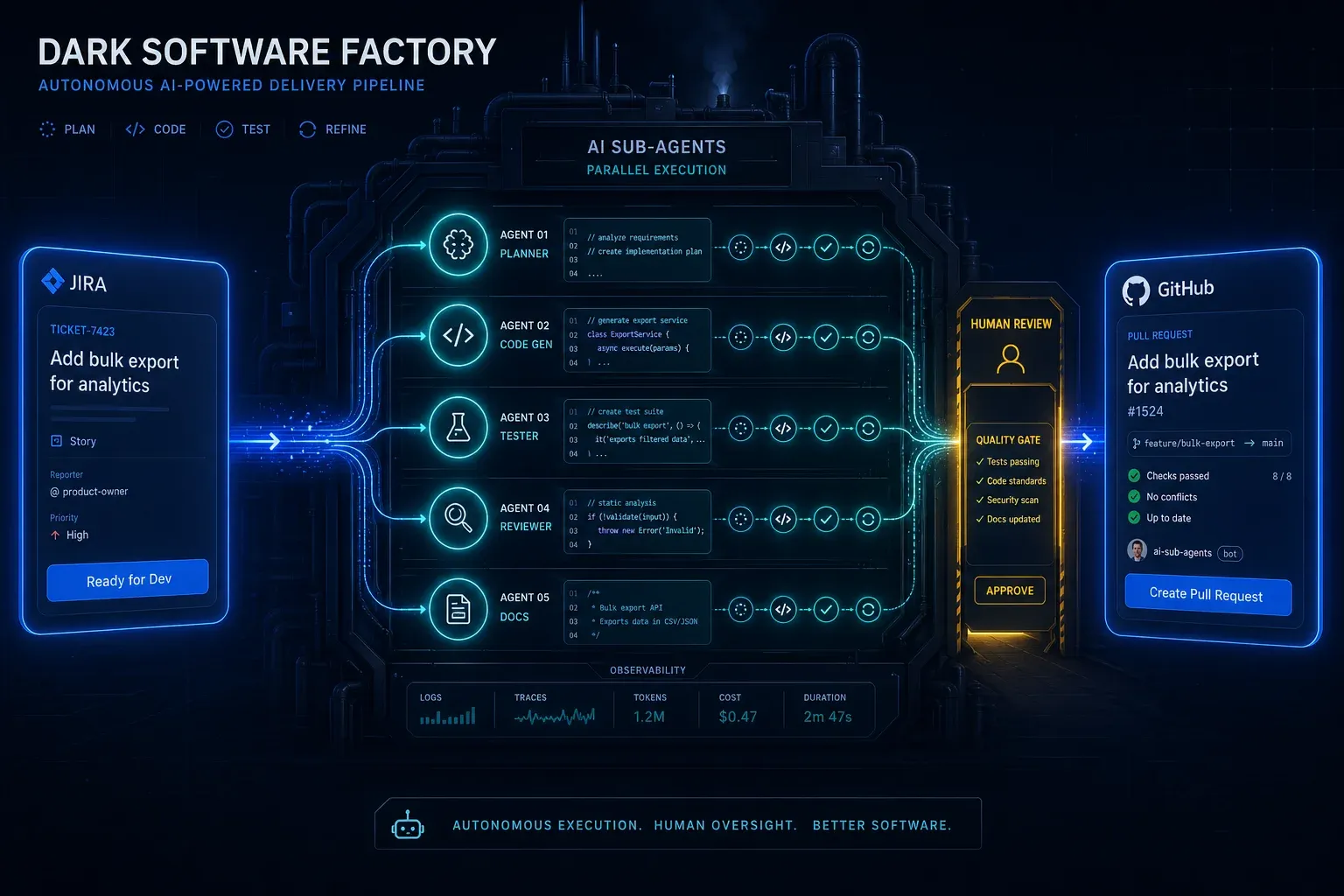
AI Agentic First at Groupon: What Ales Drabek's Dark Software Factory Teaches Us
Ales Drabek, CTIO at Groupon, runs two patterns in production: Dark Software Factory and Speedboats. What that reveals a…
Read more
Claude Managed Agents: Anthropic's Play to Own the Agent Runtime
Anthropic launches Managed Agents in public beta – a hosted runtime that decouples the 'brain' from the 'hands.' No more…
Read more
Herding Cats: The Agentic Coding Tools Landscape (March 2026)
Not Cursor. Not Windsurf. A parallel tooling layer is wrapping headless CLI agents – terminals, session managers, full d…
Read more
Ponytail: The Best Code Is the Code You Never Wrote
A dev built Ponytail because his AI agents wrote 500 lines for a 5-line problem. The result: 80-94% less code, 47-77% ch…
Read more