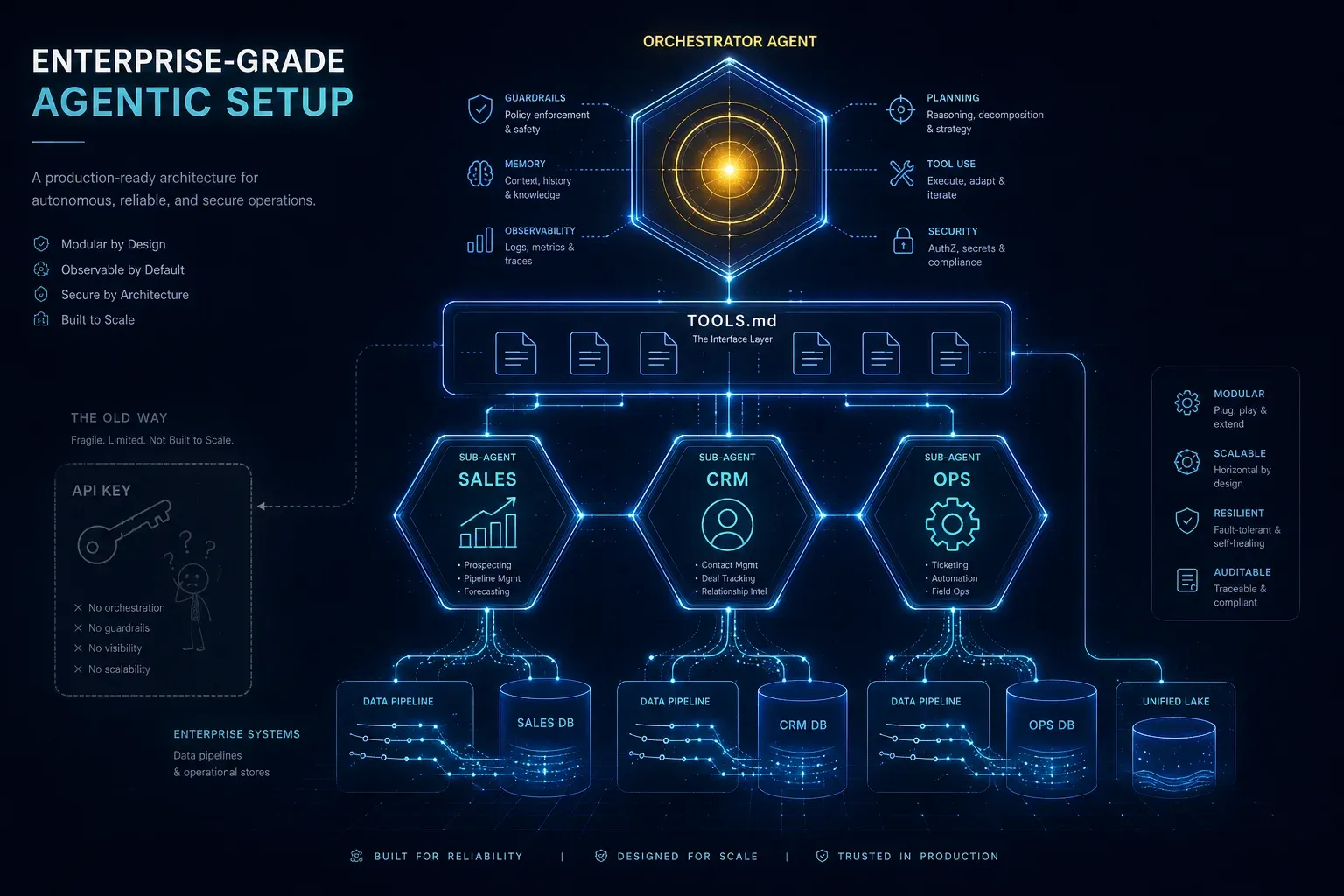
Enterprise-Grade Agentic Setup: Why an API Key Is Not an AI Strategy

TL;DR: „Vibe coding with an API key is kindergarten. Enterprise-grade means specialised sub-agents, properly documented TOOLS.md, dedicated system prompts, and per-session tool loading – so agents respond fast, cheap, and with access to real operational knowledge. Without this stack, AI in your company is useless."
— Till FreitagThe Zone Nobody in Public Talks About
There is a layer of AI adoption that gets consistently ignored in public. Not because it isn't important – but because it's unsexy and technical.
- Slapping an API key for a frontier model into your website? Child's play.
- Building a chatbot with a system prompt and a vector store? Demo level.
- An agentic setup where sub-agents have access to your operational knowledge, are lightning-fast in their responses, work with proper
TOOLS.mdand dedicated system prompts – and where one agent or one user gets answers from another agent? That's the value.
The jump from "vibe coding with an OpenAI key" to "enterprise-grade agentic setup" isn't gradual – it's categorical. Without that jump, AI is effectively useless in your company. With it, AI automates your entire operations business.
Why an API Key Alone Is Not a Strategy
Most companies we've seen in the last 18 months are stuck in one of these phases:
| Phase | Symptom | Real business value |
|---|---|---|
| 1. ChatGPT subscription | "We use AI" = staff have Pro accounts | Marginal, unmeasurable |
| 2. API key + wrapper | Custom UI, same model, no context | "Prettier ChatGPT" |
| 3. RAG chatbot | Vector store over PDFs, one system prompt | Answers FAQs, automates nothing |
| 4. Agentic setup | Sub-agents, tools, operations access | Automates real workflows |
Phases 1–3 are what almost everyone talks about. Phase 4 is where real money moves – and almost nobody builds it cleanly.
What "Enterprise-Grade Agentic" Actually Means
A production-ready agentic setup consists of four building blocks that must be built in this order:
1. Sub-Agent Architecture Instead of a Monolith
A single "all-knowing agent" is an anti-pattern. Frontier models get slower and more expensive with every added tool, context entry, and instruction. The solution: specialisation.
                    ┌─────────────────┐
                    │   Orchestrator  │
                    │   (Router)      │
                    └────────┬────────┘
                             │
       ┌─────────────────────┼─────────────────────┐
       │                     │                     │
┌──────▼──────┐      ┌──────▼──────┐      ┌──────▼──────┐
│ Sales Agent │      │  CRM Agent  │      │ Ops Agent   │
│ Tools: 4    │      │ Tools: 6    │      │ Tools: 8    │
│ SP: 2k tok  │      │ SP: 3k tok  │      │ SP: 4k tok  │
└─────────────┘      └─────────────┘      └─────────────┘
Each sub-agent:
- has one clear mission (e.g. "lead qualification in monday CRM")
- loads only the tools it needs
- has a system prompt under 5k tokens instead of a bloated 30k monster
- can be called by users or by other agents
2. TOOLS.md as the Single Source of Truth
A tool without docs is a tool the agent will hallucinate. TOOLS.md is what Anthropic established in Claude Code, what Cursor encodes in its Rules, and what our internal stacks ship in every project:
# TOOLS.md

## search_crm_contacts
Searches contacts in monday CRM by name, company or email.

**When to use:**
- User asks about a specific contact or account
- Before any `update_contact` call to resolve the ID

**When NOT to use:**
- For unfiltered listings (use `list_pipeline` instead)
- For historical data older than 90 days

**Args:** query (string), limit (int, default 10)
**Returns:** Array of {id, name, company, email, owner}
This file is loaded at every session start, before the model even thinks. Result: no hallucinated tool calls, no expensive retry loops, deterministic behaviour.
3. System Prompt Architecture: Thin, Dedicated, Deterministic
A good system prompt for a sub-agent has a clear structure:
- Role & mission (3–5 sentences) – who you are, what you don't do
- Tool reference ("Consult TOOLS.md before any call")
- Escalation paths (when to hand back to orchestrator, when to escalate to a human)
- Output contract (format that other agents/systems can parse)
What does not belong in the system prompt: 4,000 tokens of examples, the entire style guide, every edge case. That belongs in separate documents the agent loads on demand.
4. Operations Access Instead of Demo Data
The difference between a demo and value creation: real write access to operational systems – CRM, ERP, ticketing, database, file storage. With:
- Granular permissions per sub-agent
- Audit logs for every write
- Rollback-capable operations
- Human-in-the-loop for high-risk actions
Why Inference Costs Force You to Use Sub-Agents
Frontier models are getting more expensive, not cheaper. Claude Opus 4.7, GPT-5.2, Gemini 3 Ultra – all are moving towards multiple dollars per million output tokens. Anyone loading a single 30k-token system prompt with 50 tools on every request pays for it in every turn.
The math:
| Setup | Tokens per request | Cost per 10k requests (Opus 4.7) |
|---|---|---|
| Monolith agent (30k prompt + tools) | ~32k input | ~$480 |
| Specialised sub-agent (4k prompt) | ~5k input | ~$75 |
| Saving | ~85 % | ~$405 per 10k calls |
For a mid-market company with 50,000 agent calls per month, that's ~$2,000/month saved – purely through architecture, with no quality loss. More on this in our Agent Runtime Comparison.
Per-Session Tool Loading: The Overlooked Pattern
The typical beginner mistake: ship every tool in every request. The professional pattern:
- Session start: sub-agent is instantiated with system prompt +
TOOLS.mdindex (not the tools themselves) - First turn: agent decides which tools it actually needs for this task
- Tool hydration: only the selected tool definitions are loaded into context
- Execution: brain call with minimal, focused context
Result: faster time-to-first-token, lower cost, fewer tool confusions. That's the difference between "AI responds in 8 seconds" and "AI responds in 1.5 seconds" – and in an operational setup, that's the difference between adoption and rejection.
Agent-to-Agent: The Multiplier
The real leverage emerges when agents can call other agents. A real example from a customer implementation:
User: "Send the lead from yesterday the right pitch."

→ Orchestrator routes to Sales Agent
   → Sales Agent calls CRM Agent: "Who was yesterday's lead?"
   → CRM Agent: {id, name, company, industry, deal_size}
   → Sales Agent calls Content Agent: "Pitch variant for SaaS, deal size €50k"
   → Content Agent: {pitch_text, attachments}
   → Sales Agent calls Email Agent: "Send pitch X to lead Y"
   → Email Agent: {sent: true, message_id}
→ Orchestrator: "Done. Email to Anna Müller (Acme GmbH) sent."
Three sub-agents, four tool calls, one user request in natural language. That's the point at which AI no longer "answers" – it operates. The exact same pattern shows up in Ales Drabek's Dark Software Factory at Groupon: JIRA ticket status as trigger, sub-agents as workers, human gate before merge.
The Stack We Build This With
No tool religion – here's what runs in production with us and our clients:
- Orchestration: Claude Code (Managed Agents) or LangGraph for custom logic
- Sub-agent runtime: Claude Sonnet 4.5 / Haiku for cheap sub-tasks, Opus for routing
- Tool standard: MCP (Model Context Protocol) as the interface
- Operations layer: monday.com as company OS, Supabase as the operational DB, n8n/Make for edge cases
- Observability: Langfuse or Helicone for tracing, cost tracking, evals
More in our comparisons of agent runtimes and agent sandboxing. If you want to automate engineering workflows agentically, also read our deep-dive on monday Dev as the most underrated dev tool and the Jira to monday Dev migration guide – the context layer your coding agents will need.
The Maturity Checklist
Before you launch the next AI pilot, audit honestly where your setup stands:
- At least two specialised sub-agents instead of a monolith
- TOOLS.md with "when to use / when NOT to use" for every tool
- System prompts per sub-agent under 5k tokens
- Per-session tool hydration instead of full load on every turn
- At least one write access to an operational system (CRM/ERP)
- Audit log for every write operation
- Agent-to-agent calls for at least one workflow
- Cost tracking & eval loop in production
Fewer than six checks: you're at the demo stage. All of them: you have real operations automation.
Conclusion: Agentic Setup Is Not Optional
With rising inference costs on frontier models, the choice is no longer "monolithic agent or specialised sub-agents". The choice is "agentic architecture or AI as an expensive toy".
Anyone who still believes in 2026 that an API key is enough to create AI value is not building anything – they're just paying OpenAI bills. Anyone who sets up sub-agents, TOOLS.md, dedicated system prompts and operations access cleanly is automating what others are still daydreaming about in public.
The gap is real. And it's getting wider, not narrower.
Read more:
- AI Agentic First at Groupon: Drabek's Dark Software Factory in production
- monday Dev: the most underrated dev tool of 2026 – the context layer for coding agents
- Sprint planning with monday Dev – machine-readable tickets as a prerequisite for agents
- Jira to monday Dev migration guide – clean backlog before the first agent
→ Book a consultation on enterprise agentic setups | → Agentic Engineering overview
Frequently Asked Questions
Sub-agents, TOOLS.md, per-session tool loading and the maturity checklist – answered in plain language.
Related Articles
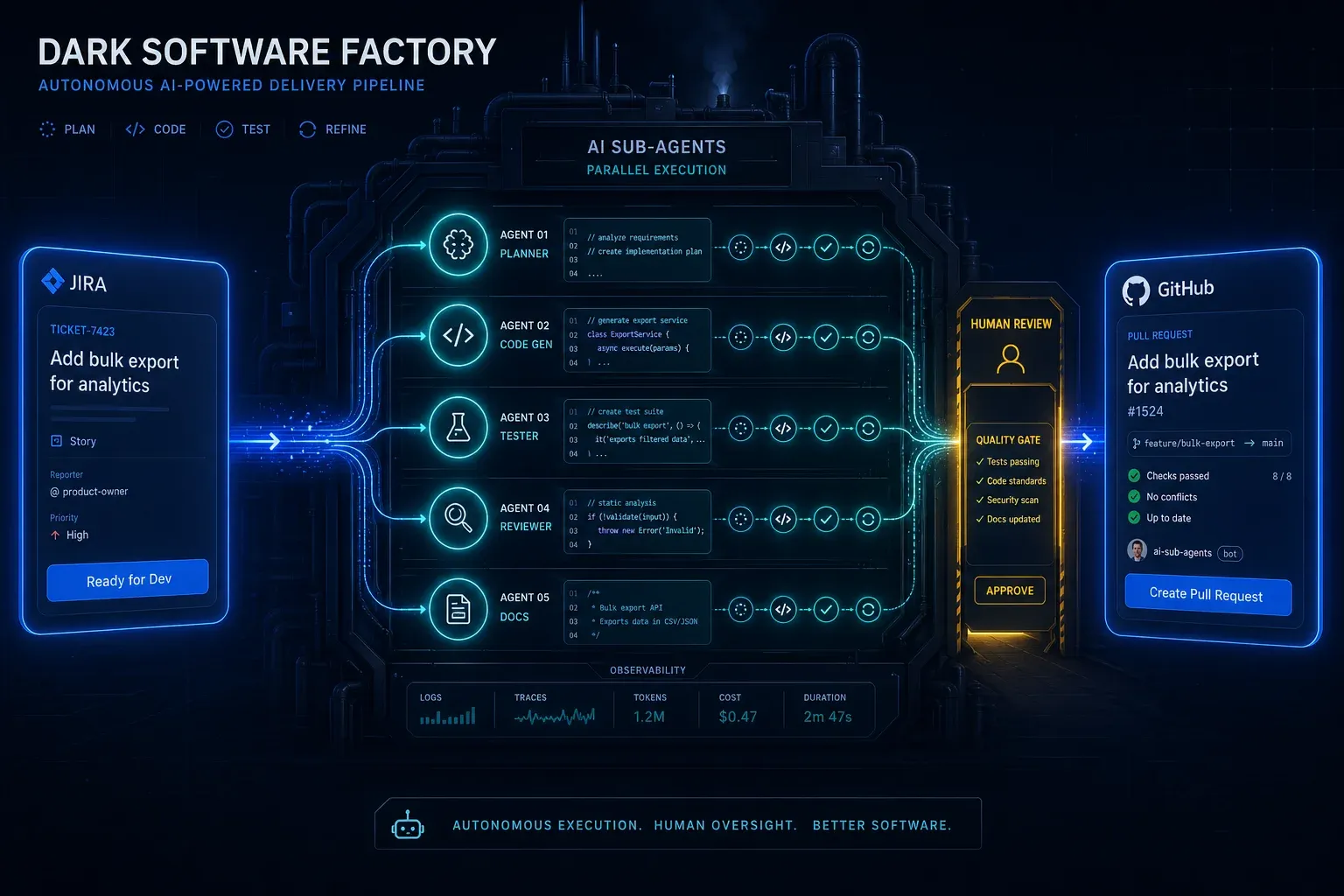
AI Agentic First at Groupon: What Ales Drabek's Dark Software Factory Teaches Us
Ales Drabek, CTIO at Groupon, runs two patterns in production: Dark Software Factory and Speedboats. What that reveals a…
Read more
Ponytail: The Best Code Is the Code You Never Wrote
A dev built Ponytail because his AI agents wrote 500 lines for a 5-line problem. The result: 80-94% less code, 47-77% ch…
Read more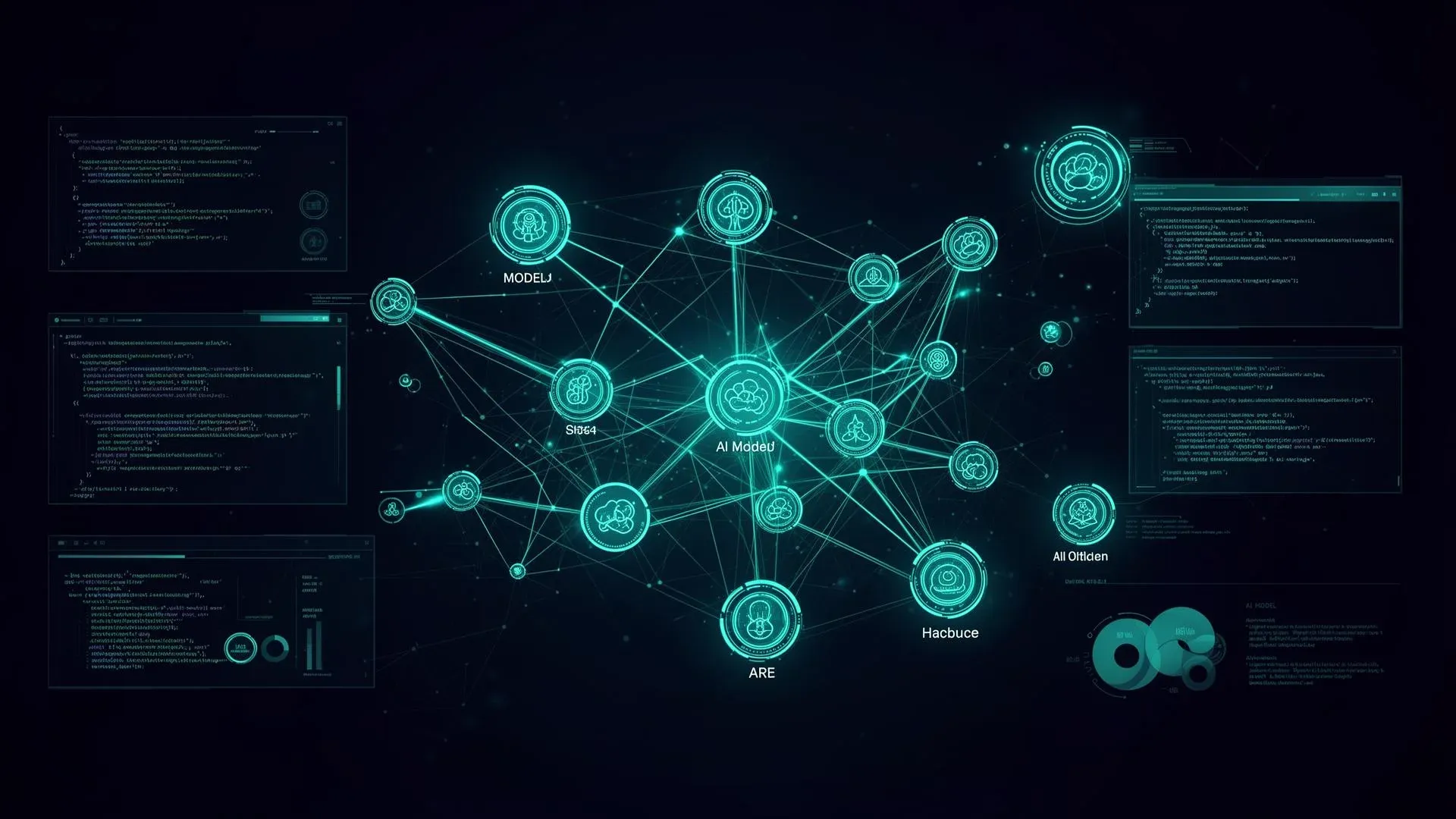
Perplexity Computer: 19 AI Models, One System – The End of Single-Model Thinking
Perplexity just launched Computer – a multi-model agent that orchestrates 19 AI models to complete complex workflows aut…
Read more
Agent Skills Are Becoming an Industry Standard: What Teams Need to Know
Agent Skills are reusable capabilities for AI agents – and they're becoming the new standard. What sets them apart from …
Read more
Google's Agent Marketplace Goes Live – And monday.com Is Already Inside
Google just opened Gemini Enterprise to partner-built AI agents – and monday.com is one of the first in. What that means…
Read more
Globster: monday.com Enters the Personal AI Agent Game – on NVIDIA's NemoClaw
monday agent labs just launched Globster: personal AI agents built on OpenClaw, secured by NVIDIA's NemoClaw runtime. Wh…
Read more Deep Dive
Copilot vs. OpenClaw vs. Claude: Enterprise AI Agents Compared 2026
Three philosophies, one goal: AI agents in the enterprise. Microsoft Copilot (platform), OpenClaw (open source), Claude …
Read more
Agentalent.ai: monday.com Launches the First Marketplace for Hiring AI Agents
monday.com launches Agentalent.ai – a marketplace where companies can 'hire' AI agents for real business roles. Here's w…
Read more
AI Agent Ops: How to Monitor, Audit, and Control Agents in Production
Governance is the strategy – Agent Ops is the execution. How to monitor autonomous AI agents in production, audit every …
Read more