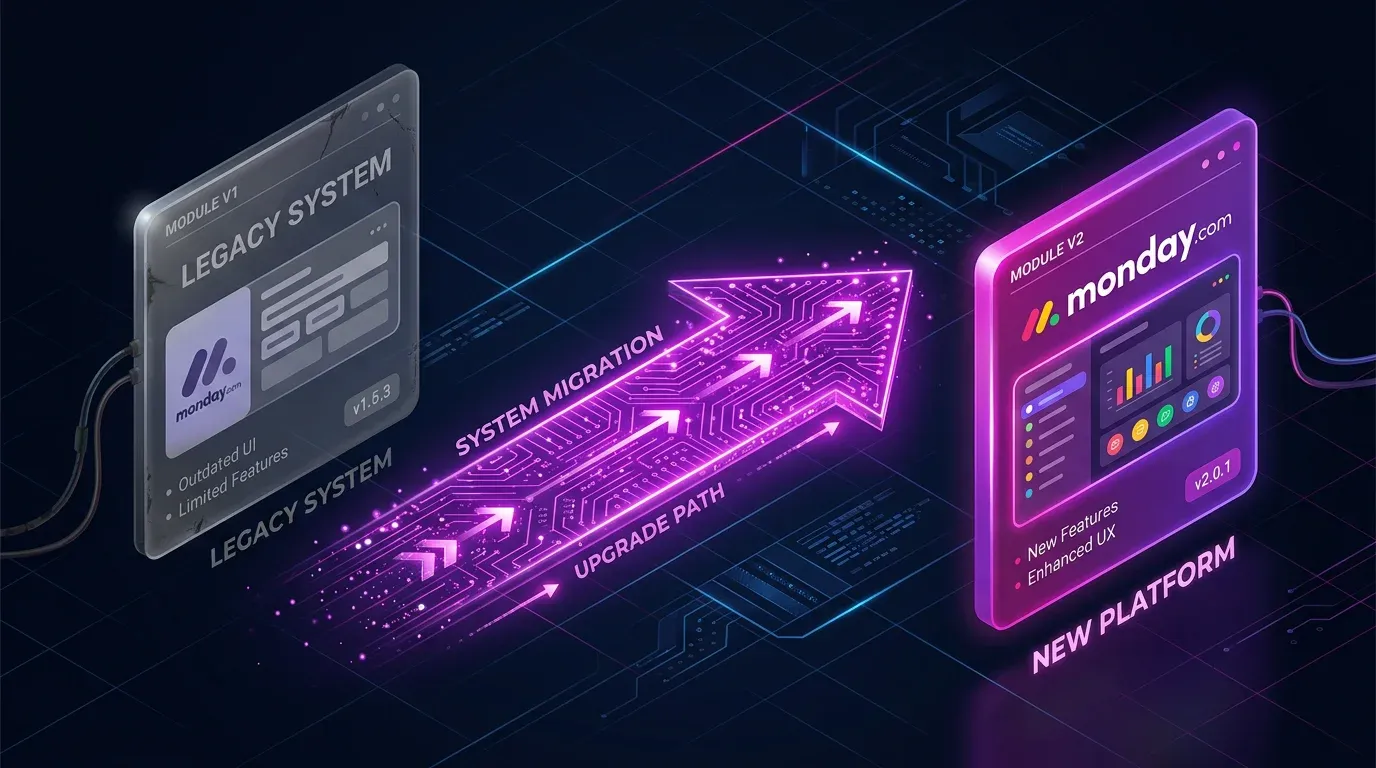
Make Module Migrator: monday.com V1 ist abgeschaltet – so reparierst du deine Szenarien jetzt


TL;DR: „monday.com V1-Module in Make funktionieren seit dem 1. Mai 2026 nicht mehr. Wenn deine Szenarien jetzt failen: Der Module Migrator scannt deinen Account und automatisiert das nachträgliche Upgrade auf V2."
— Till Freitag⚠️ Update (Mai 2026): Die V1 API ist seit dem 1. Mai 2026 offline. Wenn deine Szenarien aktuell Fehler werfen oder still falsche Daten liefern, springe direkt zu „Du hast die Deadline verpasst?" – wir zeigen dir, wie du betroffene Szenarien findest und in wenigen Stunden wieder produktiv bist.
Die V1 ist Geschichte – und viele Accounts merken es erst jetzt
monday.com hat seine V1 API zum 1. Mai 2026 abgeschaltet, und mit ihr alle V1-Module in Make.com. Szenarien, die noch Legacy-Module verwenden, werfen seitdem Fehler – oder, schlimmer, laufen weiter, liefern aber falsche Daten, weil einzelne Felder still leer bleiben.
Die gute Nachricht: Makes Module Migrator funktioniert weiterhin und macht das nachträgliche Aufräumen erheblich schneller, als jedes Szenario von Hand anzufassen.
Was ändert sich?
monday.com hat seine API-Version aktualisiert, und Make hat eine neue V2-App veröffentlicht. Die Umstellung umfasst:
- Modul-Austausch – V1-Module müssen durch ihre V2-Pendants ersetzt werden
- Feld-Mapping-Änderungen – Einige Felder wurden umbenannt oder entfernt
- Zeitplan – Beide Versionen laufen parallel bis zum 1. Mai, dann wird V1 abgeschaltet
Betroffene Feldänderungen
Nicht alle Module erfordern manuelle Anpassungen. Aber bei diesen solltest du aufpassen:
Entfernte Felder
Module: List Boards, Get a Board
Diese Felder existieren in V2 nicht mehr:
bordervar_namedone_colorscolor_mappinglabels_position_v2hide_footer
Aktion: Entferne alle Mappings, die auf diese Felder verweisen.
Umbenannter Timestamp
Module: Get an Item, Get an Item's Column Value, List Board's Items, List Group's Items, Search Items, Watch Board's Items und alle verwandten Watch-Module.
Änderung: changed_at heißt jetzt updated_at.
Aktion: Alle Referenzen von changed_at auf updated_at umstellen.
Der Module Migrator: Automatisierte Migration
Statt jedes Szenario manuell zu bearbeiten, übernimmt Makes Module Migrator die Schwerstarbeit:
So funktioniert's
- Module Migrator öffnen – Direkt in Make unter apps.make.com/module-migrator
- Ordner scannen – Wähle die Ordner aus, die du scannen möchtest; das Tool identifiziert alle Szenarien mit V1-Modulen
- Migrationspfad wählen:
- In-Place-Update – Module direkt in bestehenden Szenarien upgraden
- In neuen Ordner klonen – Szenarien in einem neuen Ordner neu erstellen (empfohlen zum Testen)
- Warnungen prüfen – Das Tool markiert Module, die manuelles Feld-Remapping benötigen
- Bestätigen und migrieren – Das Tool tauscht alle kompatiblen Module automatisch aus
Was automatisiert wird vs. manuell
| Automatisiert | Erfordert manuelle Arbeit |
|---|---|
| Modul-Tausch V1 → V2 | Entfernte Feld-Mappings |
| Verbindungs-Neuverknüpfung | changed_at → updated_at Remapping |
| Basis-Feld-Mapping | Custom-Formeln mit alten Feldern |
Geführte Fehlerbehebung
Für Szenarien, die nicht vollständig automatisiert werden können, liefert der Module Migrator ein Warning Bundle mit Schritt-für-Schritt-Anleitungen, was genau angepasst werden muss.
Best Practices für die Migration
1. Audit vor der Migration
Dokumentiere deine kritischen Szenarien, bevor du den Migrator startest. Welche Szenarien nutzen monday.com und was tun sie genau?
2. Zuerst klonen, dann testen
Klone immer zuerst in einen neuen Ordner. Teste die migrierten Szenarien, bevor du deine Produktions-Workflows ersetzt.
3. Downstream-Abhängigkeiten prüfen
Ein umbenanntes Feld (changed_at → updated_at) kann nachgelagerte Module brechen – Filter, Router oder verbundene Apps, die den alten Feldnamen referenzieren.
4. Mit echten Daten testen
Prüfe nicht nur, ob das Szenario läuft – verifiziere, dass die Ausgabedaten korrekt sind. Feld-Entfernungen können Logik still brechen, ohne Fehler zu werfen.
5. Make DevTool für Bulk-Updates nutzen
Das Make DevTool hat eine „Swap Variable"-Funktion, mit der du Mappings über mehrere Module gleichzeitig aktualisieren kannst – deutlich schneller als jedes Modul einzeln zu bearbeiten.
Migrations-Checkliste
| Schritt | Status |
|---|---|
| Alle monday.com-Szenarien identifizieren | ☐ |
| Kritische Workflows dokumentieren | ☐ |
| Module Migrator Scan durchführen | ☐ |
| Szenarien in Testordner klonen | ☐ |
| Warning Bundles prüfen | ☐ |
| Entfernte Felder remappen | ☐ |
changed_at → updated_at aktualisieren | ☐ |
| Migrierte Szenarien testen | ☐ |
| Produktions-Szenarien ersetzen | ☐ |
| Downstream-Integrationen verifizieren | ☐ |
Zeitplan
| Datum | Ereignis |
|---|---|
| Bis April 2026 | V1 und V2 liefen parallel; Module Migrator verfügbar |
| 1. Mai 2026 | ✅ V1-Support beendet – Legacy-Module werfen Fehler oder liefern unvollständige Daten |
| Jetzt (Mai 2026) | Recovery-Modus: Module Migrator weiterhin nutzbar, V2-Module sind Pflicht |
⚠️ Wenn deine Szenarien jetzt failen: kein Grund zur Panik, aber auch nicht aufschieben. Jeder Tag mit kaputten Automationen kostet Pipeline-Daten, Benachrichtigungen und Vertrauen ins System.
Du hast die Deadline verpasst? So findest du betroffene Szenarien
Wenn V1 abgeschaltet wurde, ohne dass dein Team migriert hat, sind drei Fehlerbilder typisch:
- Harte Fehler – Szenarien stoppen mit
400 Bad RequestoderModule not found. Sichtbar in der Make Execution History und in deinen Notification-Channels. - Stille Datenlücken – Szenarien laufen weiter, aber einzelne Felder kommen leer zurück (z. B.
border,done_colors). Filter und Router treffen dann falsche Entscheidungen. - Falsche Timestamps – Alles, was auf
changed_atgefiltert hat, greift jetzt ins Leere, weil das Feld in V2updated_atheißt.
Schneller Recovery-Workflow
- Execution History prüfen – In Make: alle Szenarien nach Fehlern seit 1. Mai filtern. Achte besonders auf monday.com-bezogene Error-Codes.
- Notification-Channels durchsehen – Slack/Email-Alerts der letzten Wochen nach „monday" durchsuchen, um stille Failures zu finden.
- Module Migrator Scan – Komplettscan über alle Ordner laufen lassen. Das Tool listet jedes Szenario mit V1-Modulen auf, auch wenn es scheinbar noch läuft.
- Downstream-Filter auditieren – Alle Filter, Router und Aggregator-Module manuell auf
changed_at,border,done_colorsund die anderen entfernten Felder prüfen. - Mit echten Daten testen – Stille Brüche fallen erst auf, wenn du die Output-Bundles eines Test-Runs Feld für Feld mit dem Ist-Zustand in monday.com vergleichst.
Fazit
Die V1 ist offline, aber der Module Migrator nimmt dir den Großteil der Arbeit ab. Wer jetzt scannt, klont, prüft und testet, hat einen kaputten monday-Stack in wenigen Stunden wieder produktiv.
Für Teams, deren CRM- oder Operations-Automationen seit dem 1. Mai nicht mehr sauber laufen, meldet euch bei uns – wir haben diesen Prozess bereits mit Dutzenden Kunden durchgeführt und priorisieren Recovery-Fälle.
Mehr über monday.com und Make erfahren? Lies unseren Make Automatisierungs-Guide, den Guide zu Error Handling & Retry-Strategien, das Monitoring & Observability Setup mit Datadog & Better Stack und unseren Security & Secrets-Management Guide – oder besuche die monday.com Tool-Seite.
Make Mastery Series
0 von 6 gelesen · 0%Sechs Artikel, die dich von ersten Szenarien zu produktionsreifen, sicheren und performanten Automatisierungen bringen.
- TEIL 1Ungelesen
make.com Automatisierung – Der ultimative Guide
Einstieg, Vergleich mit Zapier & n8n, 5 Use Cases.
Lesen - TEIL 2Ungelesen
Error Handling & Retry-Strategien
Resume, Rollback, Commit, Break – inkl. interaktivem Decision Tree.
Lesen - TEIL 3Ungelesen
Monitoring & Observability
Native Dashboards + Better Stack Heartbeats + Datadog Deep Dive.
Lesen - TEIL 4UngelesenHier
Module Migrator: monday.com V1 → V2
Pflichtmigration vor 1. Mai 2026 – Schritt-für-Schritt-Anleitung.
- TEIL 5Ungelesen
Security & Secrets-Management
Connections, Webhooks, IP-Whitelisting & Vault-Patterns für Produktiv-Setups.
Lesen - TEIL 6Ungelesen
Performance & Operations-Optimierung
Bundle-Size, Filter-Reihenfolge, Aggregatoren & Sub-Szenarien – 40–70 % weniger Ops.
Lesen
Lesefortschritt wird lokal in deinem Browser gespeichert (localStorage).
Verwandte Artikel

Warum Gründer ab Tag 1 auf Automatisierung setzen sollten
Warum Automatisierung kein Luxus für Scale-ups ist, sondern das Fundament für jedes Startup – und wie Gründer von Anfang…
Weiterlesen
Logistik & Supply Chain: Automatisierung von Bestellprozessen und Lieferketten
Bestellprozesse, Lieferanten-Tracking und Retourenmanagement – wie Automatisierung Logistik und Supply Chain effizienter…
Weiterlesen
CRM-Teams entschlacken: Das 3-Schritte-Framework für 80 % weniger Aufwand
‚Wir haben zu viele Leute im CRM-Team, arbeiten ineffizient und mit AI passiert gar nichts.' – Diesen Satz hören wir ger…
Weiterlesen
monday Vibe Apps – Eigene Mini-Anwendungen ohne Code bauen (2026 Guide)
monday Vibe Apps ermöglichen es jedem, eigene Mini-Anwendungen per Prompt zu bauen – ohne Code, direkt in monday.com. So…
Weiterlesen
monday.com + OpenClaw: Wie monday.com zum Gehirn deines KI-Agenten wird
monday.com ist mehr als ein Projektmanagement-Tool – es kann das Langzeitgedächtnis und Execution Log eines KI-Agenten s…
Weiterlesen
monday WorkForms reicht nicht? 5 Formular-Alternativen im Vergleich
monday.com WorkForms stößt schnell an Grenzen: Keine Item-Updates, kein Conditional Logic, keine Zahlungen. Wir vergleic…
Weiterlesen Deep Dive
Items in mehreren monday.com Boards synchron halten – Der ultimative Guide
Ein Item, mehrere Boards – in monday.com nicht nativ möglich. Wir zeigen alle Wege: von Mirror-Spalten über Marketplace-…
Weiterlesen
Die 5 größten Zeitfresser für Geschäftsführer – und wie Automatisierung sie löst
Status-Meetings, Reportings, Freigaben – als Geschäftsführer verbringt ihr mehr Zeit mit Admin als mit Strategie. Wir ze…
Weiterlesen
KI im Projektmanagement: Chancen, Risiken & sofort umsetzbare Tipps
Wie Künstliche Intelligenz dein Projektmanagement smarter macht – mit konkreten Tipps, die du sofort umsetzen kannst.…
Weiterlesen