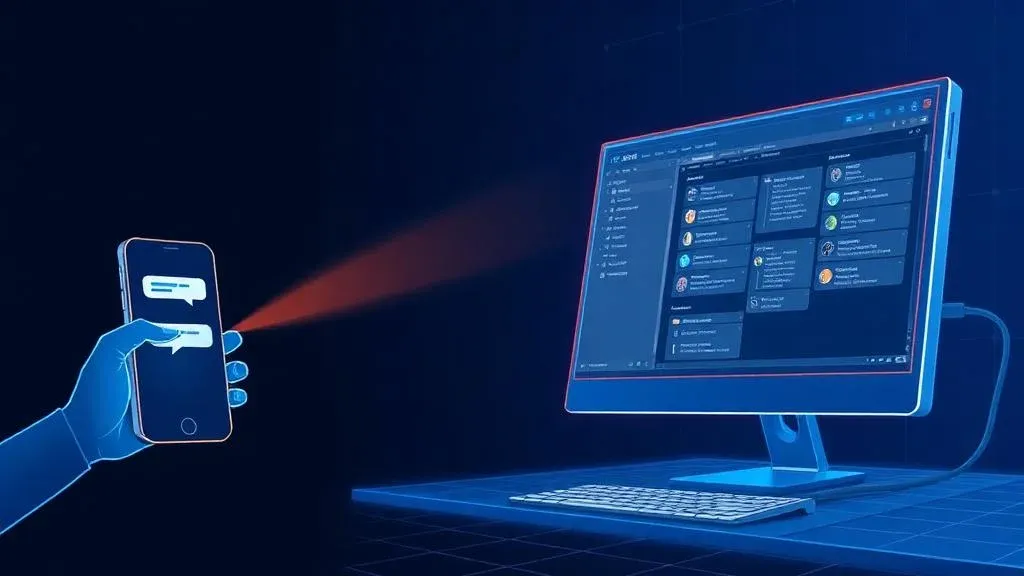

TL;DR: „Claude Dispatch = send a task from your phone, Claude handles it on your desktop. But without proper setup (Custom Instructions, Projects, Memory, Connections, Skills), you're leaving most of the value on the table."
— Till FreitagClaude Dispatch: Why This Is a Game Changer
This week, Anthropic launched a feature that changes how we work with AI: Dispatch.
The concept is simple – and that's exactly what makes it powerful:
You send Claude a message from your phone, tell it what to do, and it completes the task on your desktop – while you're not even at your laptop.
You'll find the Dispatch function in the Claude mobile app. Type your task, put the phone away, and when you come back: The task is done.
This isn't just another chatbot. This is a digital coworker you give a task to, and it gets it done autonomously.
But: Without Setup, You're Using 5% of What's Possible
Here's the uncomfortable truth: Dispatch alone doesn't do much if Claude doesn't know who you are, what your business does, and how you work.
Without the right setup, you'll wonder why AI isn't transforming your business like everyone claims. The answer is almost always: The foundation is missing.
The Foundation You Need
Here are the six building blocks you should set up – ideally before you start using Claude productively:
1. Custom Instructions
Set once: who you are, what your business does, and how you want to communicate. Then Claude knows you without having to explain it every chat.
Example: "I'm the founder of a SaaS agency specializing in AI and automation. Answer pragmatically, no fluff, with concrete next steps."
2. Projects
Create a separate Project for each area of your business. That way Claude immediately knows where it is and what it's about.
Example Projects:
- 📁 Content & Blog
- 📁 CRM & Sales Pipeline
- 📁 Client Onboarding
- 📁 Product Development
3. Memory
Claude remembers what matters – across conversations. You stop repeating the same basics over and over.
Memory learns things like:
- Your preferred tools (monday.com, Make, Lovable)
- Your team structure
- Recurring client requirements
4. Style
Train your writing style once, and Claude adopts it automatically for every text it writes for you.
This works via Style Presets – you give Claude sample texts and it analyzes tone, sentence length, and structure.
5. Connections
Connect Claude to your tools: Notion, Slack, Google Drive, Calendar – so Dispatch doesn't just respond, but actually works within your workflows.
Without Connections, Claude is blind. It can talk but can't act. With Connections, the chatbot becomes an agent that accesses real data and executes real actions.
6. Skills
Build recurring workflows once and trigger them with a click instead of prompting from scratch every time.
Skills are the difference between:
- ❌ Manually writing the same prompt every Monday
- ✅ Tapping "Weekly Report" and done
Want to go deeper on Agent Skills? We wrote a three-part series on Agent Skills – from theory to scaling across teams.
Only Then Does Dispatch Reach Its Full Power
When the setup is in place, here's what happens:
You send from your phone: "Prepare my weekly report."
And Claude knows:
- ✅ What your weekly report is (Project)
- ✅ Where your tasks live (Connections → monday.com)
- ✅ How you write (Style)
- ✅ What happened last week (Memory)
- ✅ Which template to use (Skills)
The result is waiting on your desktop when you get back.
Dispatch in Context: The 5 Building Blocks of an AI Agent
Dispatch isn't an isolated feature. It's Anthropic's implementation of what we described as the 5 building blocks of an AI agent:
| Building Block | Dispatch Implementation |
|---|---|
| Runtime | Claude's reasoning loop (Sonnet/Opus) |
| Channels | Mobile app → desktop execution |
| Memory | Claude Memory + Project Knowledge |
| Tools | Connections (Slack, Drive, Calendar) |
| Self-Scheduling | Dispatch itself – proactive execution |
Dispatch closes the final building block: Self-Scheduling. Claude no longer just reacts – it works autonomously and proactively.
What This Means for Your Business
Dispatch is another step in a clear direction: AI is evolving from tool to team member.
But like any team member: without onboarding, without context, without structure – even the best agent will underperform.
Companies that build their Claude setup now will have an unfair advantage in 6 months. Not because they write better prompts – but because their AI knows them.
Next Steps
- Activate Claude Pro or Team plan (Dispatch requires at least Pro)
- Set up Custom Instructions – 10 minutes, one-time effort
- Create 3 Projects for your most important business areas
- Establish Connections to your daily tools
- Send your first Dispatch task from your phone – and observe
Need help with setup? Talk to us – we help teams build their AI foundation so features like Dispatch deliver impact from day one.
Related Articles
From Chat to Workflow: How Anthropic Is Turning Claude Into a Digital Coworker
Dispatch, Computer Use, persistent tasks – Anthropic is layering capabilities in an order that's no accident. A strategi…
Read more
Anthropic Is Building an App Builder – And It's Coming for Europe's Vibe-Coding Star Lovable
Leaked screenshots reveal an integrated app builder inside Claude. What this means for Lovable, the European startup eco…
Read more Deep Dive
Copilot vs. OpenClaw vs. Claude: Enterprise AI Agents Compared 2026
Three philosophies, one goal: AI agents in the enterprise. Microsoft Copilot (platform), OpenClaw (open source), Claude …
Read more
Copilot Cowork: Microsoft Bets on Claude – and What It Means for OpenAI
Microsoft launches Copilot Cowork – powered by Anthropic's Claude. 400M+ users get an autonomous agent for emails, calen…
Read more
Claude Marketplace: Why Anthropic Just Made the Smartest Platform Move in AI
Anthropic launches the Claude Marketplace – 0% commission, full enterprise lock-in. Why this isn't a marketplace, it's a…
Read more Deep Dive
Claude Sonnet 5: Agentic AI Goes Mainstream
Anthropic ships Claude Sonnet 5 – a Sonnet model that gets close to Opus 4.8 performance at a fraction of the price. Aug…
Read more
Claude Fable 5 & Mythos 5: When AI Shifts from Tasks to Responsibilities
Anthropic launches Claude Fable 5 and Mythos 5 – SOTA on almost all benchmarks. More interesting than the numbers: The s…
Read more
Why 🦞 Became the Secret Handshake of the Agentic AI Movement
How a crustacean became the tribal emoji of the agentic AI scene – from Anthropic memes to X bios full of lobster claws.…
Read more
Claude Design Is Here: How Anthropic Labs Wiped $30B Off Figma, Adobe and Wix in a Single Day
On April 17, 2026, Anthropic launched Claude Design – the first Anthropic Labs product for visual work. Powered by Opus …
Read more