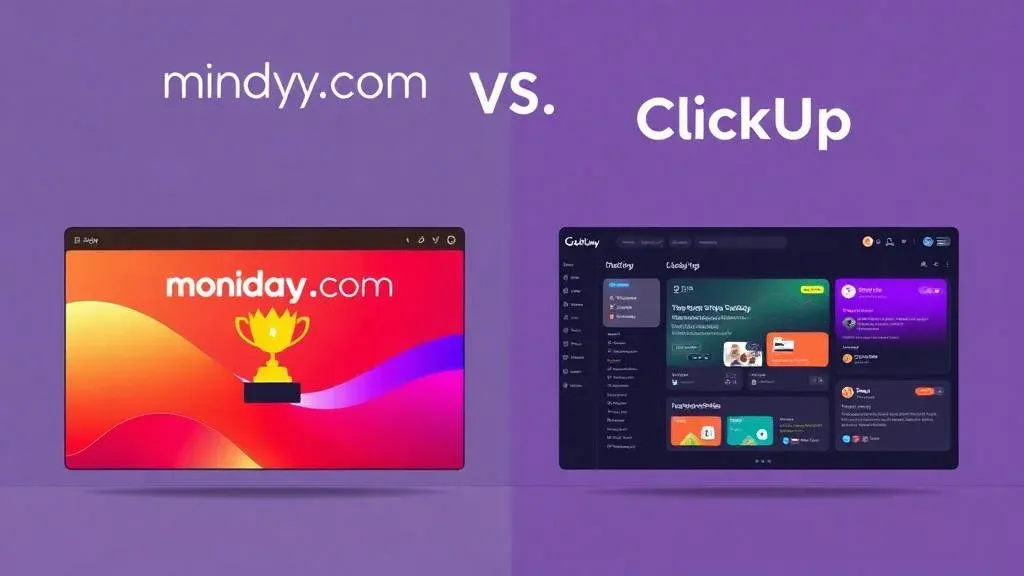
monday.com vs. ClickUp: Why monday Is the Better Work OS

TL;DR: „ClickUp can do a little of everything – monday.com does the important things really well. Focus beats feature overload."
— Till FreitagThe "Everything App" vs. the Work OS
ClickUp positions itself as the app that can do it all: project management, docs, whiteboards, chat, CRM, time tracking – everything in one. Sounds unbeatable on paper.
In practice, however: Being able to do everything doesn't mean doing everything well. And that's the fundamental difference from monday.com.
monday.com takes a different approach: Instead of cramming everything into a single overloaded app, it offers specialized products (Work Management, CRM, dev, service) running on a shared platform. Each product is optimized for its purpose – but all share the same data layer.
Companies at a Glance
| Metric | monday.com | ClickUp |
|---|---|---|
| Founded | 2012 | 2017 |
| Headquarters | Tel Aviv, Israel | San Diego, USA |
| Employees | ~2,200 | ~900 |
| Revenue (2025) | ~$1.2B | ~$300M |
| Customers | 225,000+ | 100,000+ |
| Developers (est.) | ~800 | ~400 |
| Stock Exchange | NASDAQ (MNDY) | Private |
| Valuation | ~$15B | ~$4B |
| Last Funding | IPO 2021 ($574M) | Series C ($400M, 2021) |
| Market Share (est.) | ~15% | ~5% |
monday.com is significantly larger and more established as a publicly traded company with 225,000+ customers and over $1 billion in annual revenue. ClickUp is growing fast but remains privately funded.
Comparison at a Glance
| Criterion | monday.com | ClickUp |
|---|---|---|
| Ease of Use | ⭐⭐⭐⭐⭐ – Intuitive, quick to learn | ⭐⭐⭐ – Powerful, but complex |
| Performance | ⭐⭐⭐⭐⭐ – Fast and responsive | ⭐⭐⭐ – Can lag with large workspaces |
| Product Ecosystem | ✅ CRM, dev, service native | ❌ Everything in one app, no specialized products |
| Automations | ⭐⭐⭐⭐⭐ – No-code + custom recipes | ⭐⭐⭐⭐ – Good, but less flexible |
| AI Features | ⭐⭐⭐⭐⭐ – Sidekick, Agents, Vibe Coding | ⭐⭐⭐ – ClickUp Brain (solid, less depth) |
| Integrations | 200+ native + Make/Zapier | 100+ native + Zapier |
| Enterprise Readiness | ⭐⭐⭐⭐⭐ – SOC 2, HIPAA, Governance | ⭐⭐⭐⭐ – SOC 2 available |
| Onboarding | ⭐⭐⭐⭐⭐ – Team productive in hours | ⭐⭐⭐ – Steep learning curve |
| Stability | ⭐⭐⭐⭐⭐ – Reliable | ⭐⭐⭐ – Occasional performance issues |
5 Reasons Why monday.com Wins
1. Clarity Beats Feature Overload
ClickUp's greatest strength is also its greatest weakness: it offers too much at once. New users face a sea of options – Spaces, Folders, Lists, Views, ClickApps, Custom Fields – and don't know where to start.
monday.com is deliberately clear-cut: Boards, Items, Columns. The concept is understood in 15 minutes. Yet it's extremely flexible – you can map nearly any workflow without getting lost in configuration labyrinths.
From our experience: With monday.com rollouts, teams are productive after half a day. With ClickUp implementations, onboarding often takes weeks.
2. Specialized Products Instead of "One Size Fits All"
ClickUp tries to offer CRM, development, and service management as features within the same app. The result: half-baked solutions that aren't good enough for any single area.
monday.com has developed dedicated products:
| Product | Specialization |
|---|---|
| Work Management | Projects, portfolios, resource planning |
| monday CRM | Pipeline, deals, email tracking, lead scoring |
| monday dev | Sprints, bugs, roadmaps, Git integration |
| monday service | Tickets, SLAs, customer portal |
Each product has its own optimized interface – but all run on the same platform. This means: A sales rep sees deals in monday CRM while the project team works in the same system. No silos, no syncing.
ClickUp can't offer this because it forces everything into a generic structure.
3. Performance and Stability
A frequent criticism of ClickUp: It can get slow. Especially with large workspaces containing many automations and custom fields, users report loading times and interface lag.
monday.com is significantly more robust in this area. The platform scales reliably – we support clients with 200+ users and thousands of items without performance issues.
This sounds like a detail, but it's decisive in daily use: A tool that delays every click by a second costs hundreds of hours of productivity over a year.
4. Automations: Real Power, Not Just Rules
Both platforms offer automations. But the implementation differs:
ClickUp:
- Automation triggers are solid
- Fewer actions than monday.com
- Cross-space automations are limited
monday.com:
- No-code automation builder with 200+ trigger-action combinations
- Cross-board automations – e.g., deal won in CRM automatically creates a project board
- Integration automations – directly connected to Slack, Gmail, Jira
- Custom recipes via the API
- AI-powered automations with monday Workflows
The difference shows especially in cross-department processes: When a deal is won in CRM → automatically create an onboarding project → notify team → schedule kickoff meeting. That's built in 10 minutes with monday.com.
5. AI: monday Is Further Ahead
Both invest in AI. But monday.com has a clear lead:
- monday Sidekick – personal AI assistant that analyzes boards and provides recommendations
- monday Agents – autonomous AI agents for recurring tasks
- monday Vibe Coding – create custom apps via natural language
- Smart Workflows – AI-powered decisions in automations
ClickUp Brain is solid for summaries and text generation, but it lacks depth: No autonomous agents, no vibe coding, no AI-powered automations.
Where ClickUp Scores
To be fair – ClickUp has strengths:
- Docs: ClickUp Docs are well-implemented and deeply integrated into the platform. monday.com WorkDocs exists but is less mature.
- Free tier for individuals: ClickUp's free tier is more generous for solo users.
- Whiteboards: Natively integrated (monday.com has WorkCanvas, which works similarly).
The Catch
These strengths don't outweigh the drawbacks once you're working as a team. ClickUp's complexity, performance issues, and lack of product specialization become increasingly problematic with growing team size.
Pricing Comparison
| Plan | monday.com | ClickUp |
|---|---|---|
| Free | Up to 2 users | Unlimited (heavily limited) |
| Basic/Unlimited | from €9/user/month | from $7/user/month |
| Standard/Business | from €12/user/month | from $12/user/month |
| Pro/Business Plus | from €16/user/month | from $19/user/month |
| Enterprise | On request | On request |
At first glance, ClickUp is cheaper. But: With monday.com's Pro plan, you get specialized products (CRM, dev, service) with their own interfaces. With ClickUp, you pay similar prices for a generic "everything" interface – and still need external tools for serious CRM or service requirements.
Who Should Choose What?
ClickUp fits if you…
- Work alone or in a small team (< 10)
- Want docs and whiteboards in one tool
- Don't get overwhelmed by feature abundance
- Don't need CRM, service desk, or dev tools
monday.com fits if you…
- Have a growing team (10–500+)
- Value fast onboarding and adoption
- Want to unite multiple departments on one platform
- Want to integrate CRM, development, or support
- Prioritize performance and stability
- Want to actively use AI features
Our Verdict
ClickUp is the Swiss Army knife – it has a tool for everything, but none of them are truly sharp.
monday.com is the professional workshop – specialized tools for every area that together form a real ecosystem.
If you just need personal task management, ClickUp can work. As soon as it's about teamwork, scaling, and real business processes, monday.com is the clearly better choice.
Not because it has more features – but because it does the right features, really well.
Thinking about switching from ClickUp to monday.com? We'll guide you from data migration to team training. Get in touch – the initial consultation is free.
Related Articles
monday.com vs. Asana: Which Project Management Tool Fits Your Team?
monday.com and Asana are among the best project management tools – but a direct comparison reveals why monday.com is the…
Read more
monday.com vs. Notion: Why Notion Isn't a Real Project Management Tool
Notion is an outstanding wiki – but not a project management tool. Why monday.com is the clearly better choice for teams…
Read more
monday.com vs. Trello: Why Trello Only Works for Simple Projects
Trello is simple and popular – but beyond a certain team size and complexity, it hits clear limits. Why monday.com is th…
Read more Deep Dive
The 10 Best Project Management Tools in 2026 Compared
monday.com, Asana, Jira, ClickUp, Notion & more – which PM tool truly fits your team in 2026? The big comparison with AI…
Read moremonday.com vs. Smartsheet – Which Tool Is the Better Fit?
monday.com or Smartsheet? We compare both platforms in 2026 – features, pricing, UX, and which tool actually makes sense…
Read more
Work Management Tools Compared 2026: monday.com vs. Asana vs. ClickUp vs. Wrike
Which work management tool is right for your team? The ultimate 2026 comparison with scoring, team-size recommendations,…
Read more
monday.com Sidekick 3.0 Is Fully Released: Smarter AI Across the Entire Platform
monday.com rolls out Sidekick 3.0 to all customers – with massively expanded action coverage, cross-platform execution, …
Read more
ClickUp vs Asana vs monday.com – AI Features Compared (2026)
All three platforms now ship AI assistants, agents, and automation – but the approaches are radically different. Here's …
Read more
Make vs. Claude Code vs. OpenClaw – Picking the Right Orchestration Layer (2026)
Make.com, Claude Code, or OpenClaw? Three tools, three layers of the stack. Here's when to pick which orchestration tool…
Read more