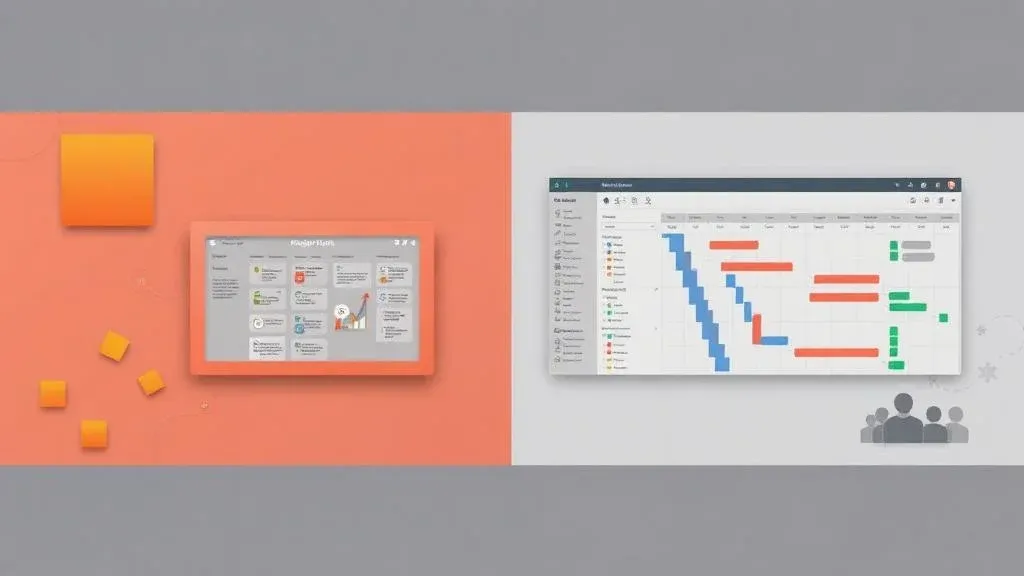
monday.com vs. Smartsheet – Which Tool Is the Better Fit?

TL;DR: „Smartsheet thinks in cells, monday.com thinks in workflows – and that's exactly what makes the difference for modern teams."
— Till FreitagTwo Worlds, One Goal
monday.com and Smartsheet aim to solve the same problem: organize teams, manage projects, make work visible. But they come from completely different directions.
Smartsheet thinks in spreadsheets. monday.com thinks in visual workflows. This difference shapes everything – from onboarding to scaling.
Company Overview
| Metric | monday.com | Smartsheet |
|---|---|---|
| Founded | 2012 | 2005 |
| Headquarters | Tel Aviv, Israel | Bellevue, Washington, USA |
| Employees | ~2,200 | ~3,000 |
| Revenue (2025) | ~$1.2B | ~$1.1B |
| Customers | 225,000+ | 100,000+ |
| Developers (est.) | ~800 | ~900 |
| Stock / Status | NASDAQ (MNDY) | Private (since 2025) |
| Valuation | ~$15B | $8.4B (acquisition) |
| Last Funding | IPO 2021 ($574M) | Acquired by Blackstone & Vista ($8.4B, 2025) |
| Market Share (est.) | ~15% | ~8% |
Smartsheet was acquired in 2025 for $8.4B by Blackstone and Vista Equity – a sign of the consolidation trend in the work management market.
monday.com – Visual Work Management
Strengths
- Intuitive UX: Color-coded boards, drag & drop, instantly understandable – even for non-technical users
- Versatile Views: Kanban, Timeline, Gantt, Calendar, Cards, Workload – all in one board
- No-Code Automations: Hundreds of automation recipes configurable with a click
- Complete Product Family: CRM, Dev, Service, and Work Management from a single platform
- AI Features: monday AI for summaries, email drafts, and intelligent suggestions
- EU Data Residency: GDPR-compliant servers in the EU
- App Ecosystem: 200+ native integrations plus Make.com and Zapier
Weaknesses
- Minimum 3 seats on paid plans
- Not a full spreadsheet replacement for very data-intensive analysis
- Higher plans needed for time tracking and formulas
Smartsheet – The Enterprise Spreadsheet
Strengths
- Spreadsheet Logic: Familiar for Excel power users – formulas, cell references, conditional formatting
- Strong Reporting: Cross-sheet reports and dashboards for enterprise reporting
- Resource Management: Detailed capacity planning and workload views
- Forms & Proofing: Integrated approval workflows and form capture
- Enterprise Focus: Governance, admin controls, and compliance features
Weaknesses
- Steep Learning Curve: Complex configuration despite spreadsheet familiarity
- Less Intuitive: UI is functional but visually less appealing than monday.com
- No Built-in CRM: Sales requires third-party tools
- Limited Automations: Less flexible and fewer templates than monday.com
- US-centric: No dedicated EU hosting
Feature Comparison
| Feature | monday.com | Smartsheet |
|---|---|---|
| Visual Boards | ✅ Excellent | ⚠️ Limited |
| Spreadsheet Logic | ⚠️ Basic formulas | ✅ Strong |
| Gantt/Timeline | ✅ | ✅ |
| Kanban | ✅ | ✅ |
| Automations | ✅ 200+ recipes | ⚠️ Basic |
| CRM | ✅ monday CRM | ❌ |
| Dev/IT | ✅ monday Dev | ❌ |
| AI Features | ✅ monday AI | ⚠️ Limited |
| Forms | ✅ WorkForms | ✅ Native |
| Dashboards | ✅ Flexible | ✅ Strong |
| Mobile App | ✅ | ✅ |
| EU Data Residency | ✅ | ❌ |
| SSO/SAML | ✅ Enterprise | ✅ Enterprise |
| API | ✅ GraphQL | ✅ REST |
Pricing Comparison 2026
monday.com
| Plan | Price/User/Month | Highlights |
|---|---|---|
| Free | $0 (up to 2 users) | Basic boards, 200+ templates |
| Basic | $9 | Unlimited boards, viewers |
| Standard | $12 | Timeline, Gantt, automations |
| Pro | $19 | Time tracking, formulas, charts |
| Enterprise | On request | SSO, audit log, premium support |
Smartsheet
| Plan | Price/User/Month | Highlights |
|---|---|---|
| Pro | $9 | Sheets, Gantt, forms |
| Business | $32 | Unlimited automations, reports |
| Enterprise | On request | Governance, connectors, SSO |
Note: Smartsheet Pro is affordable, but many features (automations, reports) require the Business plan at $32/user. monday.com offers automations starting from the Standard plan ($12).
Which Tool for Which Team?
Choose monday.com if …
- Your team works visually and needs to be productive quickly
- You want sales, projects, and service on one platform
- Automations are a core part of your workflows
- You need EU Data Residency and GDPR compliance
- You're a growing team looking for a scalable platform
Choose Smartsheet if …
- Your team consists of Excel power users
- You need complex formulas and cell references across sheets
- Enterprise governance and compliance are top priorities
- Your focus is on resource and capacity planning
Our Verdict
For most teams – especially those thinking beyond pure project management – monday.com is the more modern and flexible choice. The combination of an intuitive interface, powerful automations, and a growing product family (CRM, Dev, Service) makes it the all-in-one platform for work management.
Smartsheet has its place in enterprise environments with a strong spreadsheet focus – but for teams that want to work agile and cross-functionally in 2026, monday.com is the better foundation.
| Criterion | Winner |
|---|---|
| Ease of Use | monday.com |
| Spreadsheet Power | Smartsheet |
| Automations | monday.com |
| Product Scope | monday.com |
| Enterprise Governance | Smartsheet |
| Value for Money | monday.com |
| GDPR | monday.com |
Related Articles
monday.com vs. Asana: Which Project Management Tool Fits Your Team?
monday.com and Asana are among the best project management tools – but a direct comparison reveals why monday.com is the…
Read more
monday.com vs. Notion: Why Notion Isn't a Real Project Management Tool
Notion is an outstanding wiki – but not a project management tool. Why monday.com is the clearly better choice for teams…
Read more
monday.com vs. Trello: Why Trello Only Works for Simple Projects
Trello is simple and popular – but beyond a certain team size and complexity, it hits clear limits. Why monday.com is th…
Read more
monday.com vs. ClickUp: Why monday Is the Better Work OS
ClickUp markets itself as the 'Everything App' – but in practice, monday.com wins with clarity, scalability, and a real …
Read more
Odoo vs. monday.com – ERP Suite or Work OS? (Honest 2026 Comparison)
Odoo or monday.com? We compare both platforms honestly – ERP suite vs. Work OS, data model, pricing, AI, and which syste…
Read more
monday.com Sidekick 3.0 Is Fully Released: Smarter AI Across the Entire Platform
monday.com rolls out Sidekick 3.0 to all customers – with massively expanded action coverage, cross-platform execution, …
Read more
Your Spreadsheet Can't Scale – Why Excel & Sheets Are Holding Your Team Back
Spreadsheets are the world's most popular tool – and the most common reason teams can't scale. A guest post by Georg Win…
Read more
ClickUp vs Asana vs monday.com – AI Features Compared (2026)
All three platforms now ship AI assistants, agents, and automation – but the approaches are radically different. Here's …
Read moremonday.com Pricing – Which Plan Is Right for You?
monday.com offers 5 plans from free to Enterprise. We compare features, pricing, and show which plan actually makes sens…
Read more