LangGraph vs. CrewAI vs. AutoGen: Which Multi-Agent Framework in 2026?


TL;DR: „LangGraph for control freaks, CrewAI for fast shippers, AutoGen for research pipelines. Pick based on how much control you need over agent coordination."
— Till FreitagThree Frameworks, Three Mental Models
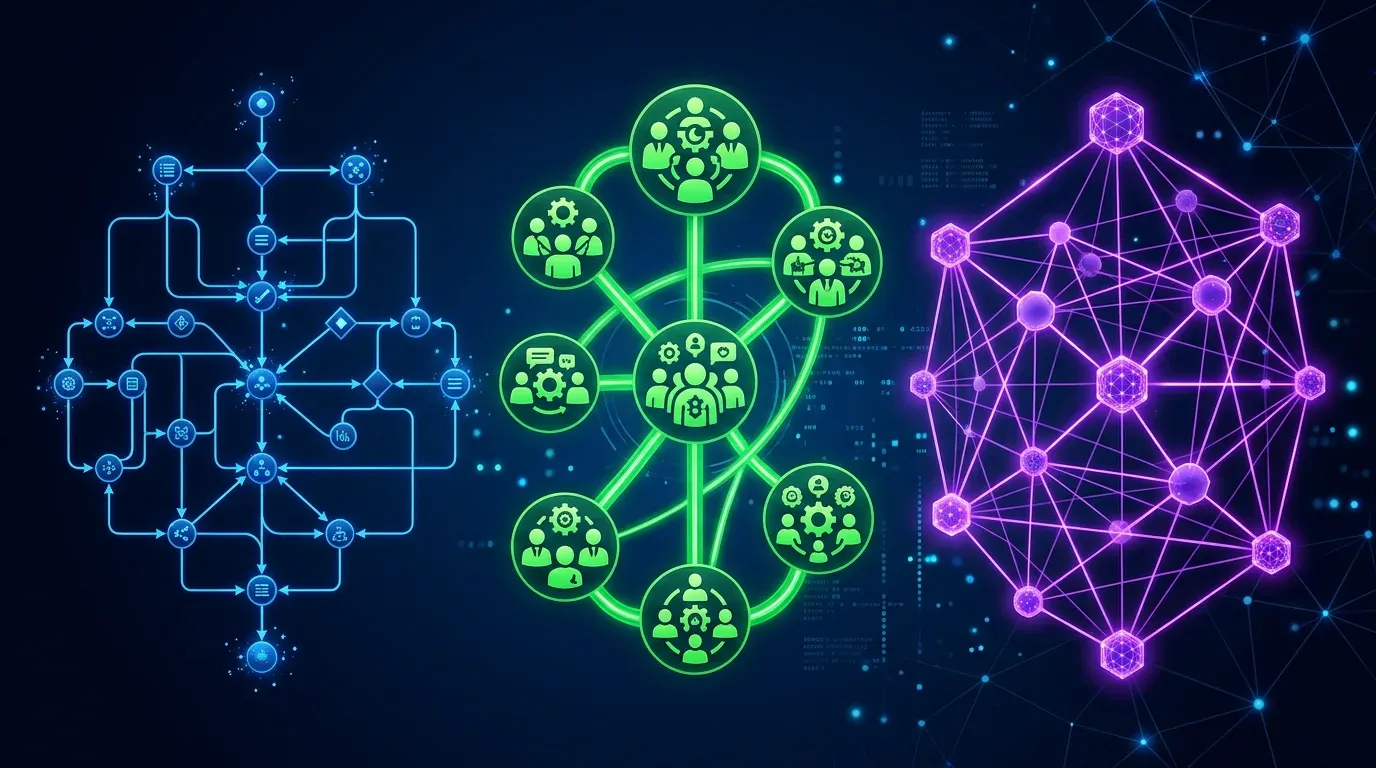
Every AI agent framework claims to be "production-ready" and "flexible." But LangGraph, CrewAI, and AutoGen are fundamentally different tools that solve different engineering problems:
| Framework | Mental Model | Core Abstraction | Think of it as… |
|---|---|---|---|
| LangGraph | State machine | Graph of nodes + edges | A flowchart you can debug |
| CrewAI | Team of specialists | Agents with roles + tasks | A project team with a manager |
| AutoGen | Conversation protocol | Agents that chat | A group chat that produces work |
Choosing the wrong one costs weeks of refactoring. This guide helps you choose right the first time.
The Same Task, Three Implementations
Let's build the same thing in all three: a research pipeline that (1) gathers data on a topic, (2) analyzes it, and (3) writes a report.
CrewAI: "Hire a team"
from crewai import Agent, Task, Crew, Process

researcher = Agent(
    role="Senior Research Analyst",
    goal="Find comprehensive data on {topic}",
    backstory="You're a veteran analyst with 15 years experience.",
    tools=[web_search, pdf_reader],
    llm="claude-sonnet-4"
)

analyst = Agent(
    role="Data Analyst",
    goal="Transform raw research into actionable insights",
    tools=[calculator, chart_generator],
    llm="gpt-4o"
)

writer = Agent(
    role="Technical Writer",
    goal="Create a compelling, well-structured report",
    llm="claude-sonnet-4"
)

crew = Crew(
    agents=[researcher, analyst, writer],
    tasks=[research_task, analysis_task, writing_task],
    process=Process.sequential,  # or hierarchical
    memory=True,
    verbose=True
)

result = crew.kickoff(inputs={"topic": "Agent frameworks 2026"})
What you notice: It reads like a job posting. Define who each agent is, what they do, hand off. CrewAI handles delegation and memory.
LangGraph: "Draw the flowchart"
from langgraph.graph import StateGraph, END
from typing import TypedDict, Annotated

class ResearchState(TypedDict):
    topic: str
    raw_data: list[str]
    analysis: str
    report: str
    iteration: int

def research_node(state: ResearchState) -> ResearchState:
    data = web_search.invoke(state["topic"])
    return {"raw_data": data, "iteration": state["iteration"] + 1}

def analyze_node(state: ResearchState) -> ResearchState:
    analysis = llm.invoke(f"Analyze: {state['raw_data']}")
    return {"analysis": analysis}

def quality_check(state: ResearchState) -> str:
    if state["iteration"] < 3 and "insufficient" in state["analysis"]:
        return "research"  # Loop back
    return "write"

def write_node(state: ResearchState) -> ResearchState:
    report = llm.invoke(f"Write report: {state['analysis']}")
    return {"report": report}

graph = StateGraph(ResearchState)
graph.add_node("research", research_node)
graph.add_node("analyze", analyze_node)
graph.add_node("write", write_node)
graph.add_edge("research", "analyze")
graph.add_conditional_edges("analyze", quality_check, {
    "research": "research",
    "write": "write"
})
graph.add_edge("write", END)
graph.set_entry_point("research")

app = graph.compile(checkpointer=MemorySaver())
What you notice: It reads like a state machine. Every transition is explicit. You define when to loop, when to branch, when to stop. Nothing happens implicitly.
AutoGen: "Start a conversation"
from autogen import ConversableAgent, GroupChat, GroupChatManager

researcher = ConversableAgent(
    name="Researcher",
    system_message="You research topics thoroughly using web search.",
    llm_config={"model": "claude-sonnet-4"},
)

analyst = ConversableAgent(
    name="Analyst",
    system_message="You analyze data and extract insights.",
    llm_config={"model": "gpt-4o"},
)

writer = ConversableAgent(
    name="Writer",
    system_message="You write clear, structured reports.",
    llm_config={"model": "claude-sonnet-4"},
)

group_chat = GroupChat(
    agents=[researcher, analyst, writer],
    messages=[],
    max_round=10,
    speaker_selection_method="auto"  # LLM decides who speaks next
)

manager = GroupChatManager(groupchat=group_chat)
researcher.initiate_chat(manager, message="Research agent frameworks 2026")
What you notice: It reads like a chat protocol. Agents are participants in a conversation. The manager decides who speaks next. Emergent behavior, less explicit control.
Architecture Deep Dive
LangGraph: Graphs All the Way Down
LangGraph treats agent workflows as directed graphs with typed state. Every node is a function, every edge is a transition, and state flows through the graph as a typed dictionary.
Key concepts:
- StateGraph: The workflow definition – nodes, edges, conditionals
- Checkpointing: Save state at any node, resume after crashes
- Human-in-the-loop: Interrupt at specific nodes for approval
- Subgraphs: Nested graphs for hierarchical workflows
- Streaming: Token-level streaming from any node
What makes it unique:
[Start] → [Research] → [Analyze] → ◆ Quality OK?
                          ↑           ├─ No → [Research] (loop)
                          └───────────┘
                                      └─ Yes → [Write] → [End]
You can see the entire execution path. You can replay from any checkpoint. You can add a human approval step between Analyze and Write with one line. This level of control is unmatched.
Production features:
- LangSmith integration for tracing and debugging
- LangGraph Cloud for managed deployment
- Thread-level persistence (multi-turn conversations)
- Time-travel debugging (replay from any state)
CrewAI: Teams That Ship
CrewAI models agent workflows as teams of specialized workers with defined roles, goals, and processes. The abstraction is organizational, not computational.
Key concepts:
- Agent: A role with a goal, backstory, and tools
- Task: A unit of work with expected output and context
- Crew: A team that executes tasks via a process
- Process: Sequential, hierarchical, or consensual execution
- Memory: Short-term, long-term, and entity memory across runs
What makes it unique:
- Delegation: Agents can delegate subtasks to other agents
- Knowledge sources: Attach PDFs, APIs, databases as agent knowledge
- Flows: Multi-crew pipelines with conditional routing (since v0.80)
- CrewAI+: Enterprise platform with monitoring, testing, deployment
Production features:
- 700+ tool integrations via MCP
- Built-in RAG for knowledge sources
- Training mode: improve agent performance over time
- Enterprise SSO, RBAC, audit logs
AutoGen (AG2): Conversations as Computation
AutoGen treats multi-agent workflows as structured conversations. Agents are participants, and the conversation itself drives computation.
Key concepts:
- ConversableAgent: An agent that can send/receive messages
- GroupChat: Multi-agent conversation with turn management
- Speaker selection: LLM-based, round-robin, or manual
- Nested chats: Sub-conversations within a larger flow
- Code execution: Agents can write and execute code in sandboxes
What makes it unique:
- Conversation-driven: The flow emerges from agent dialogue
- Code execution: Built-in Docker/local sandboxes for running generated code
- Teachability: Agents learn from user feedback across sessions
- Swarm orchestration: v0.4 adds swarm-style handoff between agents
Production features:
- Azure integration for enterprise deployment
- Human-in-the-loop via UserProxyAgent
- Extensible with custom agent types
- AG2 fork maintained by community post-Microsoft
The Honest Comparison
| Dimension | LangGraph | CrewAI | AutoGen |
|---|---|---|---|
| Philosophy | Explicit control | Role-based teams | Conversational emergence |
| Learning curve | Steep (graph theory) | Low (intuitive API) | Medium (conversation patterns) |
| Debugging | ⭐⭐⭐⭐⭐ (LangSmith, replay) | ⭐⭐⭐ (logs, CrewAI+) | ⭐⭐ (conversation traces) |
| Determinism | High (explicit edges) | Medium (delegation varies) | Low (LLM-driven turn order) |
| Flexibility | Maximum (any pattern) | Medium (team metaphor) | High (open conversations) |
| Time to prototype | Hours | Minutes | 30–60 minutes |
| Production readiness | ⭐⭐⭐⭐⭐ | ⭐⭐⭐⭐ | ⭐⭐⭐ |
| Community size | Large (LangChain ecosystem) | Largest (Fortune 500) | Medium (academic roots) |
| Managed hosting | LangGraph Cloud | CrewAI+ | Azure (limited) |
| GitHub ⭐ | 8,000+ | 25,000+ | 38,000+ |
| License | MIT | Apache 2.0 | Apache 2.0 (AG2 fork) |
| Best LLM support | Any (LangChain models) | Any (litellm) | Any (config-based) |
| State persistence | ✅ Checkpointing | ✅ Memory system | ⚠️ Limited |
| Human-in-the-loop | ✅ Native | ✅ Via tasks | ✅ UserProxyAgent |
| Streaming | ✅ Token-level | ⚠️ Task-level | ⚠️ Message-level |
Performance Benchmarks
Based on real-world testing (same research pipeline, same models, same hardware):
| Metric | LangGraph | CrewAI | AutoGen |
|---|---|---|---|
| Setup time | ~2 hours | ~20 min | ~45 min |
| Execution time (5-agent pipeline) | 45s | 62s | 78s |
| Token consumption | Lowest | Medium | Highest |
| Error recovery | Checkpoint resume | Retry from task | Restart conversation |
| Lines of code | ~120 | ~40 | ~60 |
Key takeaway: LangGraph is faster and cheaper to run but takes longer to set up. CrewAI is the fastest to prototype. AutoGen uses the most tokens because of conversational overhead.
Decision Framework
Choose LangGraph when you need…
- Deterministic execution – every path is explicit
- Crash recovery – resume from checkpoints
- Complex branching – loops, conditionals, parallel paths
- Debugging – time-travel through state history
- Streaming – real-time token output from agents
- You're already using LangChain
Choose CrewAI when you need…
- Fast prototyping – ship in hours, not days
- Role-based coordination – natural team metaphor
- Knowledge integration – attach docs, APIs, DBs to agents
- Enterprise features – SSO, RBAC, audit logs
- Non-developer-friendly – Flows visual builder coming
- You want the largest ecosystem (700+ tools)
Choose AutoGen when you need…
- Open-ended exploration – let agents discover solutions
- Code generation + execution – sandboxed code running
- Research workflows – academic-style iterative analysis
- Conversation-driven – output emerges from dialogue
- You're in the Microsoft/Azure ecosystem
Can You Combine Them?
Yes, and it's increasingly common:
# CrewAI agent that uses LangGraph internally
from crewai import Agent

class GraphAgent(Agent):
    def execute(self, task):
        # Run a LangGraph workflow as part of a CrewAI task
        result = langgraph_app.invoke({"input": task.description})
        return result["output"]
Common combinations:
- CrewAI + LangGraph: CrewAI for team coordination, LangGraph for complex individual agent logic
- AutoGen + LangGraph: AutoGen for discovery phase, LangGraph for deterministic execution
- All three + Kimi K2.5: Use Kimi's native Agent Swarm for raw parallel computation within any framework
The Broader Landscape
These three aren't the only options:
| Framework | Differentiator | When to consider |
|---|---|---|
| OpenAI Symphony | Native OpenAI integration | If you're all-in on GPT |
| Google ADK | Vertex AI native | If you're on Google Cloud |
| Semantic Kernel | .NET/C# focus | If your stack is Microsoft |
| Haystack | RAG-first | If retrieval is your core need |
| smolagents (HuggingFace) | Minimal, code-first | If you want the lightest weight |
Our Recommendation
At Till Freitag, our Agentic Engineering practice uses:
| Use Case | Our Choice | Why |
|---|---|---|
| Client-facing agent pipelines | CrewAI | Fast iteration, clean API, good enough control |
| Mission-critical workflows | LangGraph | Deterministic, debuggable, recoverable |
| Research & exploration | AutoGen | Conversational discovery, code execution |
| Parallel data gathering | Kimi K2.5 Swarm | 100 agents, zero framework overhead |
The framework matters less than the architecture. Pick the tool that matches your team's mental model, not the one with the most GitHub stars.
→ Agent Swarm Architectures: Kimi K2.5 vs. Airtable vs. CrewAI → Our Agentic Engineering services → Open Source LLMs compared
Which framework fits you?
Question 1 of 3
How important is deterministic execution to you?
Related Articles
Agent Swarm Architectures Compared: Kimi K2.5 vs. Airtable HyperAgent vs. CrewAI
Three fundamentally different approaches to multi-agent AI: model-native swarms, platform orchestration, and developer f…
Read more
Claude Managed Agents vs. LangGraph vs. CrewAI: Agent Runtimes for Production Compared
Three paths to production agents: Anthropic's hosted runtime, LangGraph's graph orchestration, or CrewAI's role-based te…
Read more
Ponytail: The Best Code Is the Code You Never Wrote
A dev built Ponytail because his AI agents wrote 500 lines for a 5-line problem. The result: 80-94% less code, 47-77% ch…
Read more
Multi-Agent Layer 2026: AG2, LangGraph, SuperAGI & AWS Strands Compared
When one agent isn't enough: AG2, LangGraph, SuperAGI and AWS Strands compared. Which multi-agent stack fits which workf…
Read more
Why 🦞 Became the Secret Handshake of the Agentic AI Movement
How a crustacean became the tribal emoji of the agentic AI scene – from Anthropic memes to X bios full of lobster claws.…
Read more
Lovable Skills: Repetition Turns Into Reusable Playbooks
Lovable just rolled out Skills – Anthropic's format for reusable agent instructions. What Skills are, how they differ fr…
Read more
Enterprise-Grade Agentic Setup: Why an API Key Is Not an AI Strategy
An API key on your website is child's play. An agentic setup with specialised sub-agents, TOOLS.md, clean system prompts…
Read more
Claude Code Is No Longer a Dev Tool – It's a GTM Layer
With Opus 4.6, Claude Code has fundamentally changed: from a developer tool to an autonomous Go-To-Market layer. What we…
Read more
From SKILL.md to SkillOps: Scaling Agent Skills Across Teams
Writing one Skill is easy. Managing 50 across 5 teams? That's where SkillOps comes in – from governance and versioning t…
Read more